How to Bank Online More Safely
Online banking has changed the way people manage money. Checking balances, transferring funds, paying bills, depositing checks, and reviewing transactions can often be done from a phone or computer without visiting a branch.
That convenience also means banking information is accessed through digital devices, internet connections, apps, websites, and third-party services. Protecting those access points is an important part of managing a bank account.
Online banking security is not based on one single measure. Strong passwords, multifactor authentication, secure devices, careful account monitoring, safe browsing habits, and awareness of scams all work together to reduce risk.
The good news is that many effective security practices are straightforward. A few consistent habits can make online banking considerably safer.
What Does Safe Online Banking Mean?
Safe online banking means using digital banking services in ways that reduce the likelihood of unauthorized access, fraud, identity theft, or accidental exposure of financial information.
This includes protecting:
- Bank usernames and passwords
- Authentication codes
- Debit and credit card information
- Account numbers
- Personal identification information
- Mobile banking apps
- Online banking sessions
- Devices used to access financial accounts
It also means paying attention to activity within the account.
Security is therefore both preventative and reactive. Good habits can reduce risk before something goes wrong, while regular monitoring can help identify suspicious activity quickly.
Understand How Your Digital Bank Account Works
Before improving security, it helps to understand how online banking fits into the broader account structure.
Banks can offer checking accounts, savings accounts, money market accounts, certificates of deposit, and other products, each with different features and access arrangements.
The Complete Guide to Bank Accounts and Account Types provides a broader explanation of how different account types work.
Understanding which accounts you have, how they are accessed, and what transactions normally occur makes unusual activity easier to recognize.
Use the Official Banking App or Website
One of the simplest ways to reduce online banking risk is to access your bank through its legitimate digital channels.
When using a mobile device, download the banking application through the appropriate official app marketplace and verify that it belongs to the financial institution.
When using a browser, be cautious about clicking banking links in unexpected emails, text messages, advertisements, or social media posts.
Instead, consider opening the bank’s app directly or entering the bank’s known web address yourself.
This reduces the chance of accidentally entering credentials into a fraudulent website designed to resemble a legitimate banking service.
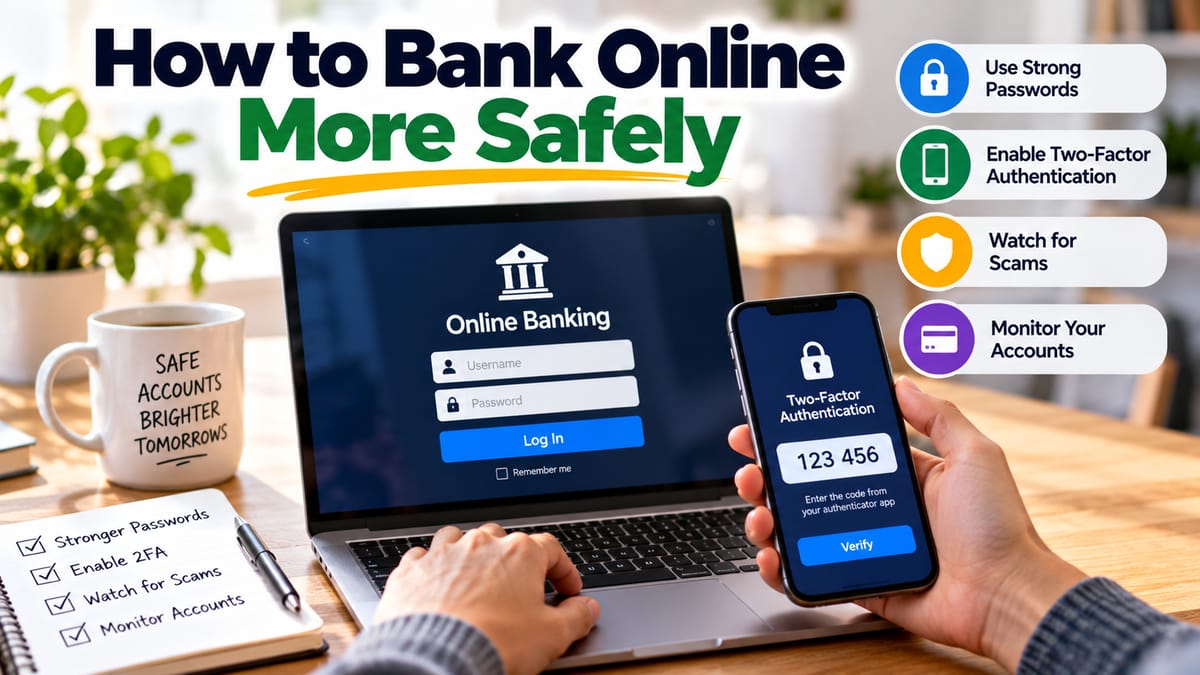
Create a Strong, Unique Password
Your online banking password should be difficult to guess and should not be reused across unrelated accounts.
A strong password can contain:
- Multiple words arranged in an unpredictable combination
- Numbers
- Symbols where supported
- Uppercase and lowercase characters
- Sufficient length
The most important principle is uniqueness.
If the same password is used for banking and another website that later suffers a data breach, criminals may attempt to use the exposed credentials against financial accounts.
A password manager can help generate and store unique passwords without requiring users to memorize every one.
Turn On Multifactor Authentication
Multifactor authentication adds another layer of protection beyond a password.
Depending on the bank, authentication may involve:
- A code sent through an approved channel
- An authenticator application
- A hardware security key
- A biometric check
- A trusted device
- Another verification method
The basic idea is that someone who obtains a password may still face another authentication requirement before gaining access.
If your financial institution offers strong multifactor authentication, enabling it can provide an important additional security layer.
Protect Your Phone
For many people, a smartphone is effectively a key to their financial accounts.
That makes the phone itself an important part of banking security.
Use a strong device passcode and keep biometric authentication enabled when appropriate.
Also:
- Install operating system updates
- Update banking applications
- Avoid leaving your phone unlocked
- Review installed applications periodically
- Use device security features
- Enable remote-lock or remote-wipe capabilities when available
If your phone is lost or stolen, contact the relevant financial institution and mobile service provider as appropriate.
Keep Your Computer Updated
The same principle applies to computers.
Operating system, browser, security, and application updates can contain fixes for known vulnerabilities.
Delaying updates indefinitely can leave devices exposed to problems that have already been addressed by the software manufacturer.
A sensible maintenance routine includes keeping:
- Operating systems
- Web browsers
- Banking applications
- Security software
- Password managers
- Other commonly used applications
reasonably up to date.
Be Careful With Public Wi-Fi
Public Wi-Fi can be convenient in airports, hotels, cafes, libraries, and other shared spaces.
However, users may have less control over the security of those networks.
For sensitive financial activities, using a trusted private network or a reliable cellular connection can be preferable.
If you must use a public network, take additional precautions and avoid entering sensitive information on unfamiliar or suspicious websites.
A secure connection does not eliminate every possible security threat, so other safeguards such as multifactor authentication and careful account monitoring remain important.
Learn to Recognize Phishing Attempts
Phishing is one of the most common ways criminals attempt to obtain account credentials and personal information.
A phishing message may appear to come from:
- A bank
- A payment provider
- A government agency
- A delivery company
- A familiar business
- A friend or colleague
The message may claim that there is a problem with an account and urge the recipient to act immediately.
Common warning signs include:
- Unexpected requests for passwords
- Urgent demands for payment
- Threats that an account will be closed
- Suspicious links
- Unexpected attachments
- Requests for authentication codes
- Unusual sender addresses
- Messages that create extreme pressure
Banks generally have established procedures for contacting customers. When a message appears suspicious, contact the institution using a trusted method rather than relying on the message itself.
Never Share Authentication Codes
Authentication codes can be especially sensitive.
A criminal who already knows a username and password may attempt to obtain the additional verification code by contacting the victim directly.
They may impersonate a bank employee and claim that a code is required to cancel a transaction, secure an account, or verify identity.
Never assume a caller is legitimate simply because they know some personal information.
Treat authentication codes as sensitive credentials and do not disclose them to unexpected callers or messages.
Avoid Saving Banking Passwords on Shared Devices
Saving financial credentials on a shared computer can create unnecessary risk.
This is particularly important when using computers that other people can access.
If you need to use a shared device for banking, avoid saving passwords, log out when finished, and clear sensitive session information when appropriate.
For financial activities, a personal and properly secured device is generally preferable.
Lock Your Banking App and Device
Security does not end after logging into an account.
If a phone or computer is left unattended while an active banking session remains open, another person may potentially gain access.
Use automatic screen locking and lock the device whenever you step away.
When finished with online banking, log out where appropriate rather than leaving a financial session open indefinitely.
Review Account Alerts
Many financial institutions allow customers to receive alerts about account activity.
Depending on the bank, notifications may be available for:
- Large purchases
- Withdrawals
- Transfers
- Login attempts
- Password changes
- New payees
- Card transactions
- Changes to account information
Alerts can provide an early warning when something unusual happens.
They can also help users distinguish legitimate activity from transactions they do not recognize.
Monitor Your Accounts Regularly
Checking your account periodically is one of the simplest security habits.
Look for:
- Unknown purchases
- Unexpected withdrawals
- Transfers you did not authorize
- New recurring payments
- Changes to account information
- Unfamiliar login notifications
Small unauthorized transactions can sometimes be easier to overlook than large ones.
Regular monitoring increases the likelihood that suspicious activity will be noticed quickly.
The sooner an unusual transaction is identified, the sooner the account holder can contact the financial institution and begin the appropriate response.
Be Careful With Banking on Social Media
Social media platforms are useful for communication, but they are not necessarily appropriate places to discuss sensitive banking information.
Avoid publicly posting:
- Account numbers
- Card numbers
- Authentication codes
- Passwords
- Identification documents
- Detailed financial information
Also be cautious when responding to accounts claiming to represent a financial institution.
If you need assistance, use an official customer-service channel that you independently verify.
Understand How Digital Banking Works
Online banking involves multiple systems working together behind the scenes.
A user may interact with a mobile application or website, while the financial institution’s systems process authentication, account information, payments, transfers, and other services.
The How Digital Banking and Online Banking Work guide explains the broader technology behind these services.
Understanding this ecosystem can make security decisions easier because it highlights how many different access points may need protection.
Be Careful With Third-Party Financial Apps
Budgeting tools, payment services, investment platforms, and other financial applications may connect to bank accounts or process financial information.
Before connecting an outside service to a bank account, consider:
- Why the service needs access
- What information it can access
- Whether the connection can be revoked
- How the company handles security
- Whether the service is reputable
- Whether you still need the connection
Review connected applications periodically and remove access that is no longer necessary when the financial institution provides that capability.
Know What to Do After a Data Breach
Even careful users can be affected by security incidents involving companies they use.
A financial application, retailer, payment provider, or other service may experience a data breach that exposes information.
The How Financial Apps Handle Data Breaches guide explores how financial services may respond when sensitive information is compromised.
If you receive a legitimate breach notification, pay attention to what information was involved and what protective actions are recommended.
Depending on the circumstances, this might include changing a password, enabling stronger authentication, monitoring accounts, or taking other protective steps.
Secure Your Email Account
Email is often connected to financial accounts because it may be used for password recovery, security alerts, and account communications.
If someone gains access to your email account, they may be able to interfere with other accounts connected to it.
Protect your primary email account with:
- A unique password
- Multifactor authentication
- Updated recovery information
- Careful handling of suspicious messages
- Regular review of account security settings
Your email account can effectively function as part of your financial security perimeter.
Be Careful With Password Recovery
Account recovery procedures exist to help legitimate users regain access, but they can also become a target for attackers.
Keep recovery phone numbers and email addresses current.
Review account-recovery settings periodically and make sure they belong to you.
If a bank offers additional security controls for recovering access, consider enabling appropriate options.
Protect Your Banking Information From Scams
Scammers may use many different stories to persuade people to transfer money or disclose information.
Some may claim:
- Your account has been compromised
- A suspicious payment must be canceled
- You have won money
- You owe an unexpected fee
- Your identity must be verified
- Your bank account will be closed
- A family member needs emergency assistance
The specific story can change, but the underlying tactic is often similar: create urgency and discourage careful thinking.
Pause when a financial request seems unusually urgent.
If someone claims to represent your bank, end the conversation and contact the institution independently using a trusted channel.
For a broader look at protecting financial accounts, How to Protect Your Bank Account From Fraud covers additional ways to reduce exposure to fraudulent activity.
Use Separate Accounts Strategically
Some people choose to maintain separate accounts for different purposes.
For example, one account might be used for everyday spending while another holds savings.
The appropriate structure depends on individual circumstances and the services offered by the financial institution.
Separating financial activity can sometimes make monitoring easier and limit the amount of money exposed through a particular account, but it also creates additional accounts that need to be managed securely.
The key is to understand how each account works and monitor all of them.
Keep Personal Information Private
Financial institutions may use personal information to verify identity and manage accounts.
Avoid unnecessarily sharing information such as:
- Full identification details
- Account numbers
- Financial statements
- Security questions
- Authentication codes
- Card information
Be particularly cautious about sharing such information through email, messaging apps, or social media unless you have independently confirmed the recipient and the communication channel.
Check Your Bank’s Security Settings
Financial institutions may provide security controls that customers can customize.
Depending on the institution, these may include:
- Login notifications
- Transaction alerts
- Spending controls
- Card locking
- Travel notifications
- Transfer limits
- Device management
- Multifactor authentication
- Account-access notifications
Take time to review the available options.
Security features are most useful when they are configured before a problem occurs.
What to Do If You Suspect Unauthorized Access
If you believe someone has gained access to your online banking account, act promptly.
Depending on the circumstances, you may need to:
- Contact the financial institution through an official channel.
- Change your banking password.
- Secure the email account associated with the bank account.
- Review recent transactions.
- Check for unauthorized account changes.
- Review connected devices and services.
- Follow the bank’s fraud or security instructions.
- Consider additional identity-protection measures when appropriate.
Do not rely on an unknown caller, text message, or email to tell you how to secure the account.
Use contact information that you independently verify.
A Simple Online Banking Security Routine
Online banking security becomes easier when it is incorporated into regular habits.
A practical routine can include:
Every login
- Verify that you are using the correct banking service.
- Check for unusual alerts.
- Keep your credentials private.
Every few days or weeks
- Review recent transactions.
- Check account notifications.
- Watch for unfamiliar activity.
Every few months
- Review security settings.
- Check connected financial applications.
- Update passwords where appropriate.
- Review device access.
- Confirm recovery information is current.
Whenever something seems suspicious
- Stop.
- Do not click unexpected links.
- Do not disclose authentication codes.
- Contact the financial institution independently.
Online Banking Security Starts With Consistent Habits
Banking online safely is less about finding one perfect security measure and more about combining several sensible practices.
Use strong, unique credentials, enable multifactor authentication, keep devices updated, access banking services through legitimate channels, monitor transactions, protect your email account, and remain skeptical of unexpected requests for money or sensitive information.
Technology will continue to change how people manage their finances, but the basic principles remain straightforward: protect access, verify requests, monitor activity, and respond quickly when something looks wrong.
Those habits can make online banking more convenient without treating security as an afterthought.