How Tax Software Works and What It Actually Does
Tax software has changed the way millions of people approach tax preparation. What once required paper forms, calculators, folders full of receipts, and potentially hours of manual calculations can now be handled through guided digital workflows.
But tax software does more than simply fill out forms.
Modern tax programs can collect financial information, organize income and expenses, apply tax rules, identify potential deductions and credits, calculate tax liability, check for certain errors, and prepare returns for filing. Some programs can also import information from employers, financial institutions, and other sources, reducing the amount of information users have to enter manually.
Understanding what happens behind the scenes can help taxpayers decide whether tax software is appropriate for their situation and, just as importantly, understand what the software can and cannot do for them.
What Is Tax Software?
Tax software is a digital application designed to help individuals or businesses prepare tax returns and complete related tax tasks.
Depending on the product, it may provide tools for:
- Entering employment income
- Reporting self-employment income
- Recording investment income
- Calculating taxable income
- Applying deductions
- Identifying eligible tax credits
- Estimating tax liability
- Calculating refunds or amounts owed
- Preparing electronic tax returns
- Checking forms for certain errors
- Organizing tax documents
- Tracking filing information
Some programs are designed primarily for straightforward individual returns, while others support more complicated situations involving businesses, investments, rental properties, multiple income sources, or other financial circumstances.
The software’s purpose is essentially to turn a taxpayer’s financial information into the forms and calculations required for a tax return.
How Tax Software Works
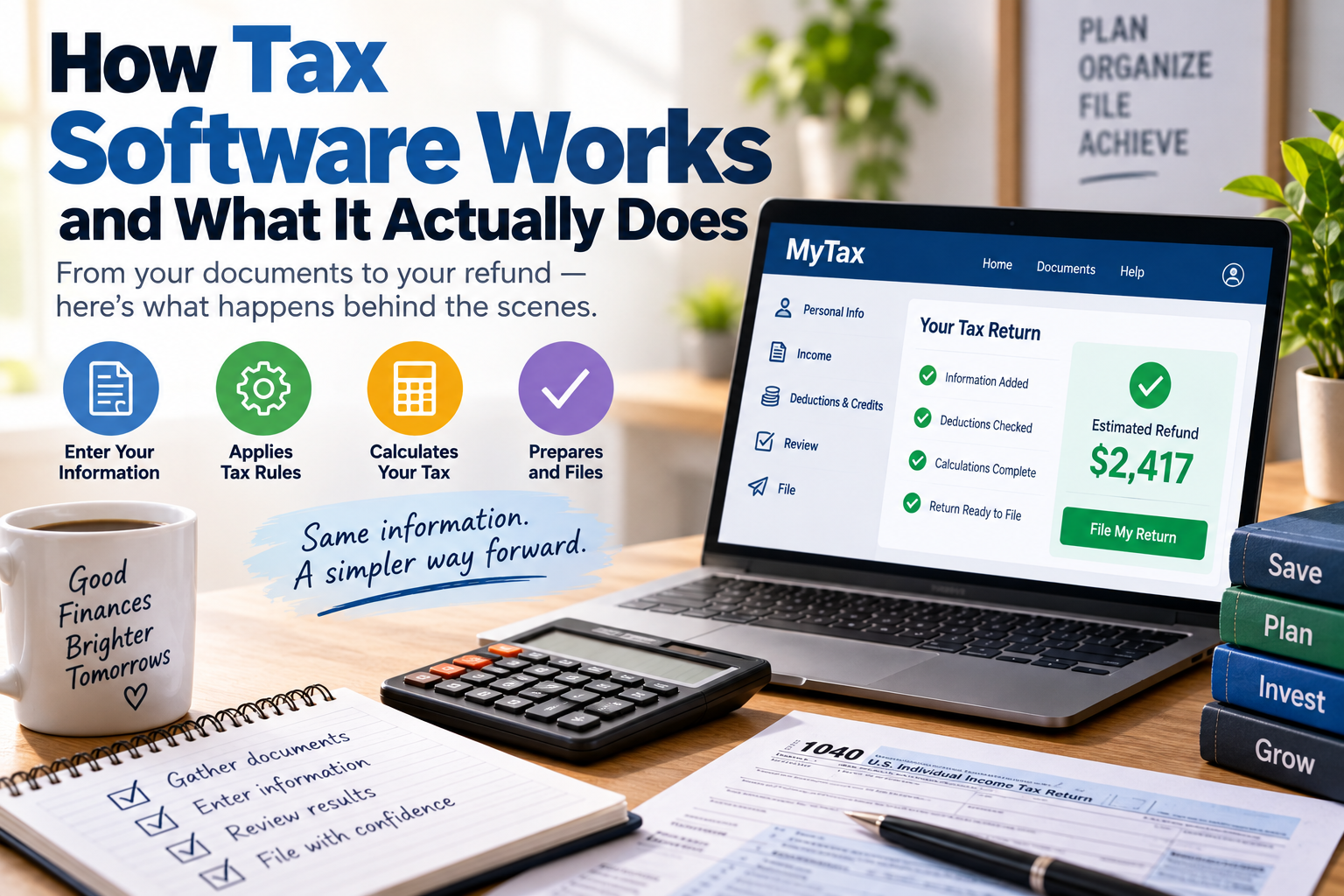
Most tax software follows a guided process.
Instead of presenting the user with a blank tax return and expecting them to understand every form, the program asks questions about their financial situation.
A typical process might look like this:
- Create an account and provide basic information.
- Select the appropriate filing status or tax situation.
- Enter or import income information.
- Provide information about deductions and expenses.
- Answer questions about tax credits and other circumstances.
- Let the software perform the required calculations.
- Review the completed return.
- Correct identified errors or missing information.
- Submit the return electronically when supported.
- Save a copy of the completed return and supporting records.
The exact process varies between products, but the basic idea is similar: the software translates answers and financial data into the appropriate tax calculations and forms.
Tax Software Is Essentially a Guided Tax Calculator
At its core, tax software combines several functions.
It acts partly as a questionnaire, partly as a calculator, partly as a document-preparation system, and partly as an error-checking tool.
For example, instead of asking a taxpayer to determine which tax form applies to a particular type of income, the program may ask a question such as whether they received income from a particular source.
Based on the response, the software can determine which sections of the return need to be completed.
This is one of the biggest advantages of digital tax preparation.
The taxpayer does not necessarily need to know the location of every relevant form or calculation. The software attempts to guide them through the process.
However, that convenience does not eliminate the taxpayer’s responsibility to provide accurate information.
Where the Numbers Come From
Tax software does not automatically know everything about a taxpayer’s finances.
It needs information.
Depending on the program and the taxpayer’s circumstances, information may be entered manually or imported electronically.
Common sources include:
- Employer income statements
- Bank records
- Investment account information
- Retirement account documents
- Mortgage information
- Education-related records
- Business accounting records
- Receipts and expense records
- Previous tax returns
Some software products can import certain information directly from supported institutions or services.
This can save time and reduce manual data entry, but taxpayers still need to review imported information carefully.
An incorrect or incomplete imported record can still result in an incorrect return.
What Tax Software Does With Your Information
Once financial information has been entered, tax software uses that information to determine which parts of the tax return apply.
For example, entering employment income may trigger sections relating to wages and withholding.
Reporting investment activity may introduce questions about dividends, interest, capital gains, or other investment-related income.
Reporting self-employment income can lead the software through business revenue, deductible expenses, and other relevant calculations.
The software then combines the information according to the applicable tax rules programmed into the system.
This is where tax software can save significant amounts of time.
Rather than manually transferring numbers between forms and performing calculations yourself, the program performs many of those repetitive tasks automatically.
Tax Software and Taxable Income
One of the most important jobs performed by tax software is helping determine taxable income.
Gross income is not necessarily the same thing as taxable income. Certain adjustments, deductions, exclusions, and other provisions can affect the amount that ultimately becomes subject to income tax.
This is why tax preparation is more complicated than simply entering an annual salary and multiplying it by a tax rate.
A taxpayer’s financial situation may involve multiple forms of income and various adjustments.
For a broader explanation of the planning process, see the Complete Guide to Personal Taxes and Tax Planning.
How Tax Software Handles Deductions
Tax deductions can reduce taxable income when the taxpayer qualifies under the applicable rules.
Tax software typically asks questions designed to determine whether the taxpayer has potentially deductible expenses or qualifies for particular deductions.
Depending on the tax situation, these may involve areas such as:
- Retirement contributions
- Certain business expenses
- Home-related expenses
- Education expenses
- Charitable contributions
- Health-related expenses
- Certain investment expenses
- Other qualifying deductions
The software may calculate the potential tax impact once the relevant information has been entered.
However, taxpayers should not assume that the software automatically knows which expenses they are entitled to claim.
If a taxpayer does not enter relevant information, the software may have no way of knowing that a potential deduction exists.
The Complete Guide to Tax Deductions and Credits provides a broader look at how these two types of tax benefits differ.
Tax Credits Are Different
Tax credits are another area where tax software can be particularly useful.
A deduction generally affects taxable income, while a credit generally affects the tax calculation more directly.
Tax software may ask questions about circumstances that could make someone eligible for certain credits.
These might relate to:
- Children or dependents
- Education
- Certain energy-related expenses
- Retirement savings
- Income levels
- Other qualifying circumstances
The software can then incorporate qualifying credits into the tax calculation based on the information supplied.
Again, the software is not necessarily making an independent determination of a taxpayer’s life circumstances. It relies heavily on the information the user provides.
How Tax Software Calculates a Refund
One of the most visible features of tax software is the refund estimate.
The program generally compares the taxpayer’s calculated tax liability with amounts already paid or withheld during the tax year, while accounting for applicable credits and other factors.
If the taxpayer has paid more than the amount ultimately owed, a refund may result.
If they have paid less, they may have a balance due.
This is why a refund does not necessarily mean someone “earned” extra money through the tax return. A refund can simply represent money that was previously paid toward taxes but was ultimately more than the final liability.
Tax software can make this calculation almost instantaneously once the necessary information has been entered.
What the Error Checker Actually Does
Many tax programs advertise accuracy checks or error-detection features.
These tools can be useful, but they should not be confused with a guarantee that a tax return is correct.
Software may identify things such as:
- Missing fields
- Inconsistent entries
- Mathematical errors
- Invalid formatting
- Certain conflicting answers
- Potentially incomplete sections
Some programs may also flag information that appears unusual or suggest that the taxpayer review a particular entry.
But software generally cannot determine whether a taxpayer has deliberately entered inaccurate information or forgotten about an income source that was never entered.
That distinction is extremely important.
A return can pass a software’s error checks and still contain incorrect information.
Does Tax Software Know the Tax Law?
Tax software is built using tax rules and calculation logic applicable to the jurisdictions and tax years it supports.
The program uses those rules to determine how entered information should affect the return.
This can be extremely helpful because modern tax systems contain numerous thresholds, calculations, definitions, limitations, and eligibility requirements.
But tax software should not be treated as an infallible substitute for professional judgment.
Tax laws can be complicated, and unusual circumstances may require interpretation rather than simple calculation.
The more complicated a taxpayer’s financial situation becomes, the more important it may be to understand the underlying rules rather than simply accepting every recommendation produced by the software.
What Tax Software Cannot Know
Tax software can process information, but it cannot automatically know facts that the taxpayer never provides.
For example, it may not know that:
- You earned income from a side business.
- You sold an investment.
- You received income from another source.
- You made a qualifying charitable contribution.
- You have an eligible deduction.
- Your family circumstances changed.
- You received a tax document that was not imported.
- You made a transaction that requires special reporting.
The program can only work with the information available to it.
This is why reviewing financial records before starting a return remains an important part of the process.
Tax Software and Financial Organization
Tax preparation is easier when financial records are already organized.
Instead of searching through bank statements, receipts, emails, investment accounts, and paper documents at the last minute, taxpayers can maintain organized records throughout the year.
This is where broader financial organization tools can complement tax software.
The How Tax Preparation and Financial Organization Software Works guide explores how digital tools can help organize financial information before it reaches the tax-preparation stage.
The distinction is useful:
Financial organization software helps manage information. Tax software uses relevant information to prepare a tax return.
Some platforms combine elements of both.
Tax Software and Electronic Filing
After the taxpayer completes the return, many tax software programs provide an electronic filing option.
The software generally converts the completed information into the appropriate electronic format and submits it through an approved filing system when available.
The taxpayer may need to provide authorization, identification information, payment details, or other required information before the return can be submitted.
Electronic filing can be faster and more convenient than mailing a paper return, although availability and requirements vary depending on the tax authority and filing situation.
Understanding the broader filing process is useful, which is why taxpayers may also want to review the Complete Guide to Tax Filing and Returns.
Free and Paid Tax Software
Tax software comes in several pricing models.
Some products offer free preparation for taxpayers with relatively straightforward situations. Others charge for additional forms, investment reporting, self-employment features, professional support, or more complicated tax circumstances.
The cheapest option is not automatically the best option.
A taxpayer should consider:
- What forms are included?
- Are all relevant income types supported?
- Are deductions and credits supported?
- Does the product support investment transactions?
- Is self-employment included?
- Is professional assistance available?
- What happens if the return is rejected?
- Can previous returns be imported?
- How is taxpayer information protected?
The right choice depends on the complexity of the tax situation as well as the features the taxpayer actually needs.
Tax Software vs. a Tax Professional
Tax software and tax professionals serve different purposes.
Software is particularly useful when a taxpayer has a situation that can be handled through standardized calculations and forms.
A tax professional can provide human judgment and help interpret complicated situations.
Professional assistance may be worth considering when a taxpayer has circumstances involving:
- Complex business structures
- Multiple businesses
- Significant investment activity
- Rental properties
- International tax issues
- Complicated estate matters
- Major life changes
- Complex income arrangements
- Difficult filing questions
- Prior-year tax problems
That does not mean tax software is incapable of handling complicated returns. Some advanced programs support sophisticated tax situations.
The key difference is that software primarily applies programmed rules to supplied information, while a qualified professional can discuss the facts of the situation and exercise judgment.
How Tax Software Can Make Tax Preparation Easier
The biggest advantage of tax software is not necessarily that it eliminates tax work.
Instead, it makes much of the work easier to manage.
A good program can:
- Guide users through complicated forms
- Perform repetitive calculations
- Reduce manual data entry
- Store information digitally
- Import certain tax documents
- Identify possible missing information
- Calculate tax estimates quickly
- Apply supported deductions and credits
- Prepare electronic returns
- Keep copies of completed returns
For taxpayers who would otherwise struggle with paper forms, these features can dramatically simplify the process.
The Risks of Relying Too Heavily on Software
Convenience can also create problems.
Some taxpayers may assume that because the software accepts an entry, the entry must be correct.
That is not necessarily true.
Tax software generally cannot verify every fact behind every number.
For example, entering an expense does not automatically prove that the expense qualifies for a deduction. The taxpayer remains responsible for determining whether the information is accurate and supported by appropriate records.
This is why the review stage matters.
Before submitting a return, taxpayers should carefully examine the numbers, income sources, deductions, credits, filing status, personal information, and other important details.
Protecting Your Financial Information
Tax returns contain highly sensitive financial and personal information.
Anyone using tax software should pay attention to security practices.
Useful precautions include:
- Use a strong, unique password.
- Enable multi-factor authentication when available.
- Avoid preparing returns on unsecured public networks.
- Keep computers and browsers updated.
- Be cautious with unexpected tax-related emails.
- Verify that you’re using the legitimate software provider.
- Store tax documents securely.
- Avoid sending sensitive tax documents through insecure channels.
Cybersecurity is an important part of digital tax preparation because a tax return can contain information that criminals may attempt to exploit for identity theft or financial fraud.
Why Reviewing the Return Still Matters
Tax software can automate many parts of the preparation process, but the taxpayer should still review the finished return.
A useful review can include checking:
- Name and identifying information
- Filing status
- Income
- Withholding
- Bank account information
- Deductions
- Credits
- Dependents
- Investment transactions
- Business income and expenses
- Refund or payment amount
It can also be useful to compare the current return with the previous year’s return.
Large changes are not necessarily wrong, but they can be worth investigating.
For example, if income changed significantly, a deduction disappeared, or withholding looks different, understanding why can help catch mistakes before filing.
The Difference Between Automation and Advice
One of the most important things to understand about tax software is the difference between automation and advice.
Automation means the program can perform calculations, transfer information, organize forms, and apply programmed rules.
Advice involves evaluating an individual’s circumstances and determining what strategy may be appropriate.
Some tax software products provide access to tax professionals or advisory services, but a basic automated tax program should not automatically be considered personalized professional advice.
This distinction becomes particularly important when making financial decisions before tax season.
How Tax Software Fits Into a Larger Tax Strategy
Tax preparation is only one part of personal financial planning.
A well-organized tax strategy can involve decisions made throughout the year, including how income is earned, how investments are managed, how retirement accounts are funded, and how major expenses are planned.
Tax software typically enters the picture toward the end of that process by taking the year’s financial information and turning it into a tax return.
That means taxpayers should not wait until filing season to start thinking about taxes.
Keeping records organized throughout the year can make the eventual software-based preparation process considerably easier.
When Tax Software Makes the Most Sense
Tax software can be particularly useful for people whose tax situations are relatively straightforward and who are comfortable reviewing their own financial information.
It can also be useful for more experienced taxpayers who understand their circumstances and want an efficient way to prepare their returns.
The strongest candidates may include people with:
- One or a few straightforward income sources
- Standard employment income
- Common deductions
- Common tax credits
- Simple investment activity
- Familiar filing situations
- Organized financial records
People with unusually complicated circumstances may benefit from additional professional guidance.
Making Tax Software Work Better for You
Tax software is most effective when the information going into it is accurate, complete, and well organized.
Instead of treating the program as a magic button that produces a correct tax return, it is better to think of it as a powerful financial processing tool.
You provide the facts.
The software organizes and calculates them.
You review the results.
Then, when appropriate, you file the return.
That division of responsibility is important because automation can make tax preparation faster without removing the taxpayer’s obligation to provide truthful and accurate information.
The Real Value of Tax Software
Tax software has made tax preparation substantially more accessible by turning complicated forms and calculations into a guided digital process.
Its real value lies in reducing repetitive work, performing calculations quickly, helping users navigate relevant sections, and preparing information for filing.
But it is not a substitute for financial awareness.
The software cannot report income that you forgot to mention, determine the truth behind information you entered, or automatically understand every unusual aspect of your financial life. Those responsibilities remain with the taxpayer.
Used properly, however, tax software can be a powerful part of a broader financial system. When combined with organized records, an understanding of deductions and credits, and year-round tax planning, it can turn an intimidating filing process into a much more manageable task.