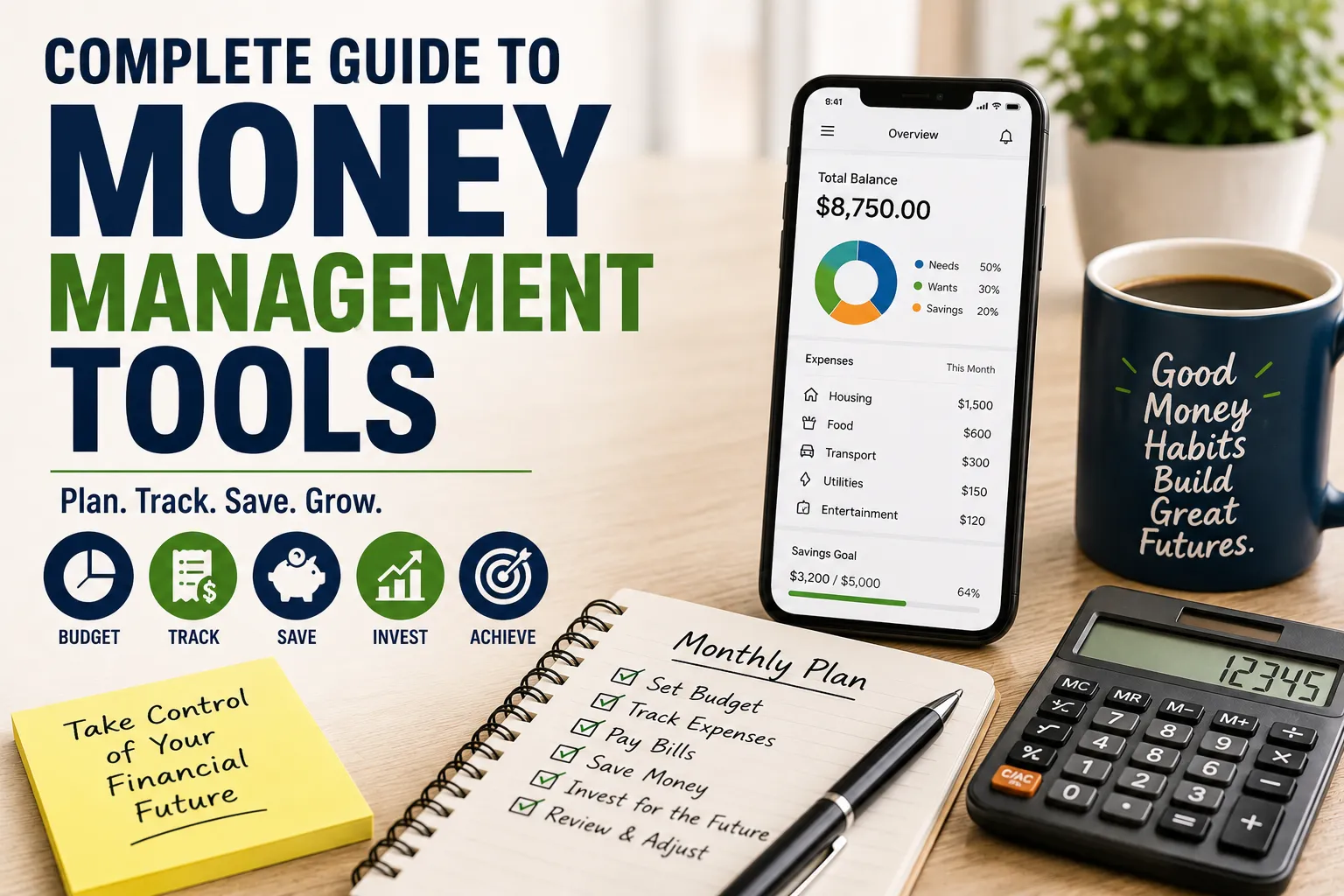
Complete Guide to Money Management Tools
Managing money used to mean balancing a checkbook, keeping receipts in a drawer and hoping there was enough left in the bank account at the end of the month.
Today, there are far more tools available.
Budgeting apps can categorize transactions automatically. Banking platforms can track spending in real time. Investment dashboards can show portfolio performance. Spreadsheet templates can provide complete control over personal finances, while specialized tools can help with subscriptions, debt repayment, savings goals and financial planning.
The challenge is no longer finding a money management tool.
It is choosing the right one and actually using it consistently.
A sophisticated financial app cannot fix spending habits if you never open it. Likewise, a simple spreadsheet can be remarkably effective when it gives you a clear picture of where your money is going and what you need to do next.
This guide explains the major types of money management tools, what they do, how to evaluate them and how to build a practical financial system without making money management unnecessarily complicated.
What Are Money Management Tools?
Money management tools are applications, platforms, spreadsheets and other systems designed to help individuals or households organize and manage their finances.
Depending on the tool, you may be able to:
- Track income
- Monitor expenses
- Create budgets
- Set savings goals
- Manage debt
- Track investments
- Monitor subscriptions
- Analyze spending
- Organize bills
- Forecast cash flow
- Track net worth
- Prepare financial reports
- Manage business finances
Some tools focus on one task, while others combine several functions into a single platform.
The best choice depends on your financial situation and what you actually need to accomplish.
Why Money Management Tools Matter
Most financial problems are not caused by a lack of available information.
They are often caused by information being scattered across different places.
You might have:
- One bank account for salary
- Another account for savings
- A credit card
- A mobile wallet
- Investment accounts
- Insurance payments
- Subscriptions
- Loans
- Cash expenses
Without a system, it can be difficult to understand the complete picture.
Money management tools bring those pieces together.
They can help answer basic but important questions:
How much money comes in every month?
Where does it go?
How much debt do I have?
How much am I saving?
What subscriptions am I paying for?
How much can I safely spend?
Is my net worth increasing?
The value of a tool comes from making those answers easier to see.
For households that manage money together, the process can become more complex. A dedicated guide to couples and money management can help partners think through shared expenses, accounts, goals and financial responsibilities.
The Main Types of Money Management Tools
There is no single category of financial software.
Different tools solve different problems.
The major categories include:
- Budgeting apps
- Expense trackers
- Banking apps
- Spreadsheet-based systems
- Debt management tools
- Savings tools
- Investment trackers
- Net-worth trackers
- Bill and subscription managers
- Financial planning software
- Business accounting tools
- Tax organization tools
Let’s look at each category.
1. Budgeting Apps
Budgeting applications are among the most popular money management tools.
They help you establish spending limits for different categories and compare actual spending with your plan.
Typical categories include:
- Housing
- Food
- Transportation
- Utilities
- Entertainment
- Shopping
- Healthcare
- Education
- Savings
- Debt payments
A good budgeting system answers one fundamental question:
Where should my money go before I spend it?
Zero-Based Budgeting
A zero-based budget assigns your available income to specific purposes until every amount has a job.
For example:
| Category | Monthly Amount |
|---|---|
| Housing | $1,200 |
| Food | $400 |
| Transportation | $250 |
| Utilities | $200 |
| Insurance | $150 |
| Entertainment | $150 |
| Savings | $350 |
| Debt repayment | $300 |
| Miscellaneous | $200 |
| Total | $3,200 |
The exact numbers are only an illustration.
The principle is that income is deliberately allocated instead of simply being spent as expenses appear.
2. Expense Tracking Apps
Expense trackers focus less on planning and more on understanding what has already happened.
They can help you identify patterns such as:
- Frequent restaurant spending
- Rising transportation costs
- Unused subscriptions
- Impulse purchases
- Increasing online shopping
- High banking fees
This is particularly useful if you have never tracked your spending before.
Before creating a sophisticated budget, it can be helpful to observe your actual spending for one or two months.
You may discover that your assumptions were very different from reality.
For a more focused approach, expense tracking and cash flow tools can help households connect everyday spending with their broader cash-flow position.
3. Banking Apps
Your bank’s own mobile or online platform may already provide some useful money management features.
Depending on the institution, you may be able to:
- View balances
- Categorize transactions
- Transfer money
- Set savings goals
- Schedule payments
- Download statements
- Receive spending alerts
- Lock cards
- Monitor suspicious transactions
For many people, the banking app is the most important financial tool because it provides direct access to actual account activity.
However, bank apps are not always designed to provide a complete view of finances across multiple institutions.
4. Spreadsheet-Based Money Management
Spreadsheets remain one of the most flexible financial tools available.
Programs such as Excel and Google Sheets can be used to build customized systems for:
- Monthly budgets
- Expense tracking
- Debt repayment
- Savings goals
- Investment tracking
- Net-worth statements
- Annual financial planning
The biggest advantage is control.
You decide:
- Which categories to use
- Which formulas to include
- How information is displayed
- What data you track
The disadvantage is that spreadsheets require more manual maintenance.
Why Spreadsheets Still Work
A spreadsheet may appear less sophisticated than an automated financial app.
But simplicity can be an advantage.
When you manually enter expenses, you may become more aware of your spending.
You also avoid some of the complications associated with connecting multiple financial accounts to a third-party platform.
For someone who wants maximum customization and control, a spreadsheet can be an excellent solution.
5. Debt Management Tools
Debt can become difficult to manage when you have multiple balances, interest rates and payment dates.
Debt-management tools can help organize:
- Credit cards
- Personal loans
- Student loans
- Auto loans
- Mortgages
- Other borrowing
Useful features may include:
- Total debt tracking
- Interest calculations
- Payment schedules
- Payoff projections
- Minimum-payment tracking
- Extra-payment simulations
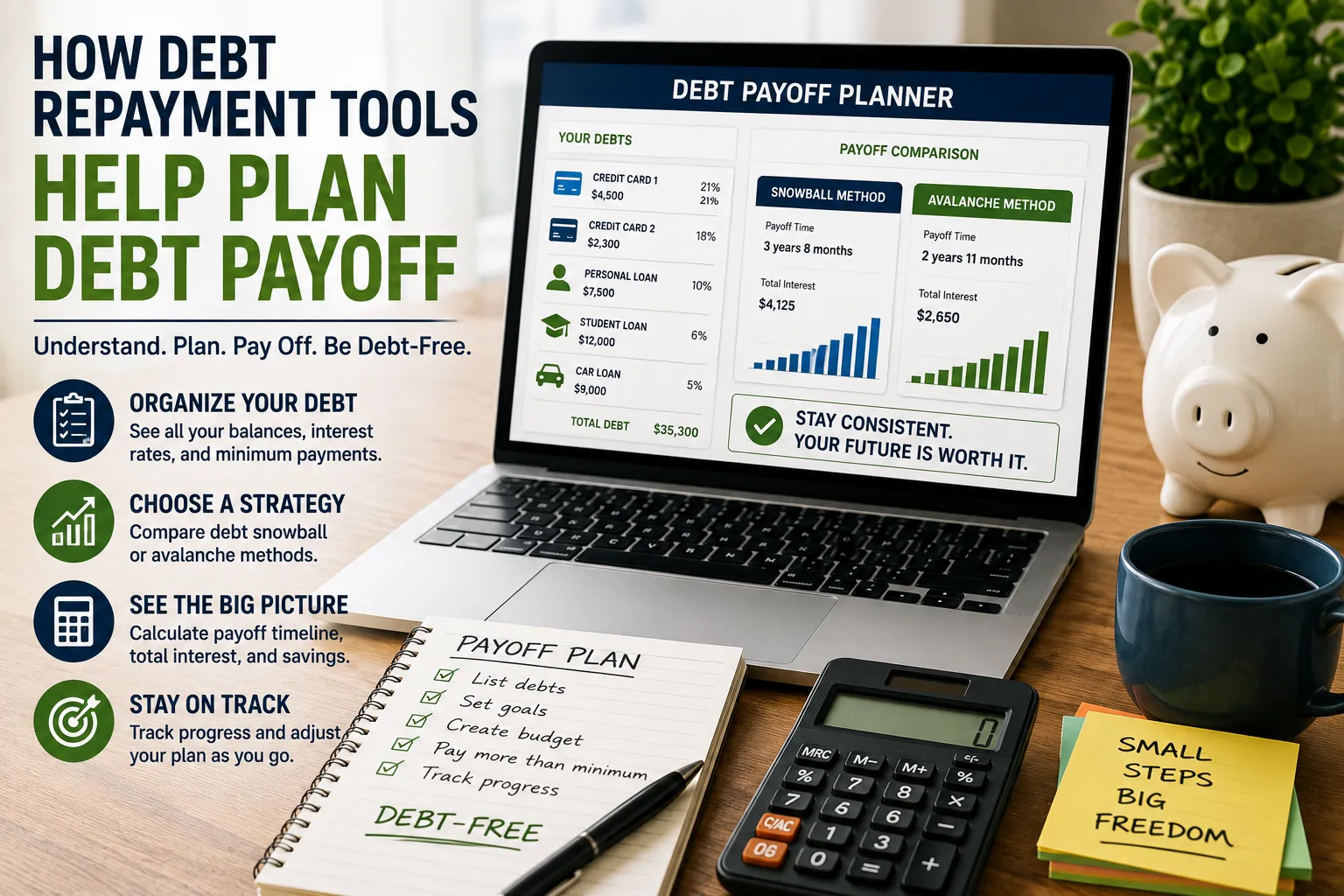
Debt Snowball vs. Debt Avalanche
Two common debt repayment strategies are the snowball and avalanche methods.
Debt Snowball
Pay off the smallest balance first while making minimum payments on other debts.
Once the smallest debt is eliminated, redirect that payment toward the next smallest balance.
The psychological benefit is that you see debts disappear quickly.
Debt Avalanche
Focus extra payments on the debt with the highest interest rate first.
This approach can reduce total interest costs when applied consistently.
Neither method is automatically best for every person.
The important thing is choosing a strategy you can realistically maintain.
6. Savings Tools
Savings tools help turn general intentions into specific goals.
Instead of saying:
“I want to save more.”
you might create:
- Emergency fund: $5,000
- Vacation: $2,000
- New laptop: $1,500
- Home deposit: $20,000
- Education: $4,000
A savings tracker can show:
Goal → Current balance → Amount remaining → Target date
This makes progress visible.
Families that are unsure about how much should be held for unexpected expenses can also review this guide to emergency savings for families.
Automate Savings When Possible
Automation is one of the most useful features available in modern financial systems.
Instead of relying on motivation, you can schedule transfers from your primary account to savings.
For example:
Salary received → automatic transfer → emergency fund
Automation reduces the number of decisions you need to make.
However, make sure automated transfers do not cause overdrafts or interfere with essential expenses.
7. Investment Tracking Tools
Investment tools are designed to help investors monitor portfolios.
They may track:
- Stocks
- Bonds
- Mutual funds
- Exchange-traded funds
- Retirement accounts
- Real estate
- Other investments
Common features include:
- Portfolio value
- Asset allocation
- Performance
- Dividends
- Contributions
- Gains and losses
Investment tracking can help you understand whether your portfolio remains aligned with your long-term strategy.
Don’t Check Investments Obsessively
A portfolio tracker can become counterproductive if it encourages constant checking.
Markets move every day.
A long-term investor may not benefit from reacting emotionally to every price change.
The tool should help you understand your strategy—not encourage unnecessary trading.
8. Net-Worth Tracking Tools
Net worth is one of the most useful measures of overall financial health.
The basic calculation is:
Net worth = Assets − Liabilities
Assets may include:
- Cash
- Savings
- Investments
- Property
- Retirement accounts
- Business interests
Liabilities may include:
- Credit-card balances
- Mortgages
- Personal loans
- Student loans
- Auto loans
For example:
Assets: $350,000
Liabilities: $180,000
Net worth: $170,000
Tracking net worth over time can provide a broader picture than simply monitoring monthly income.
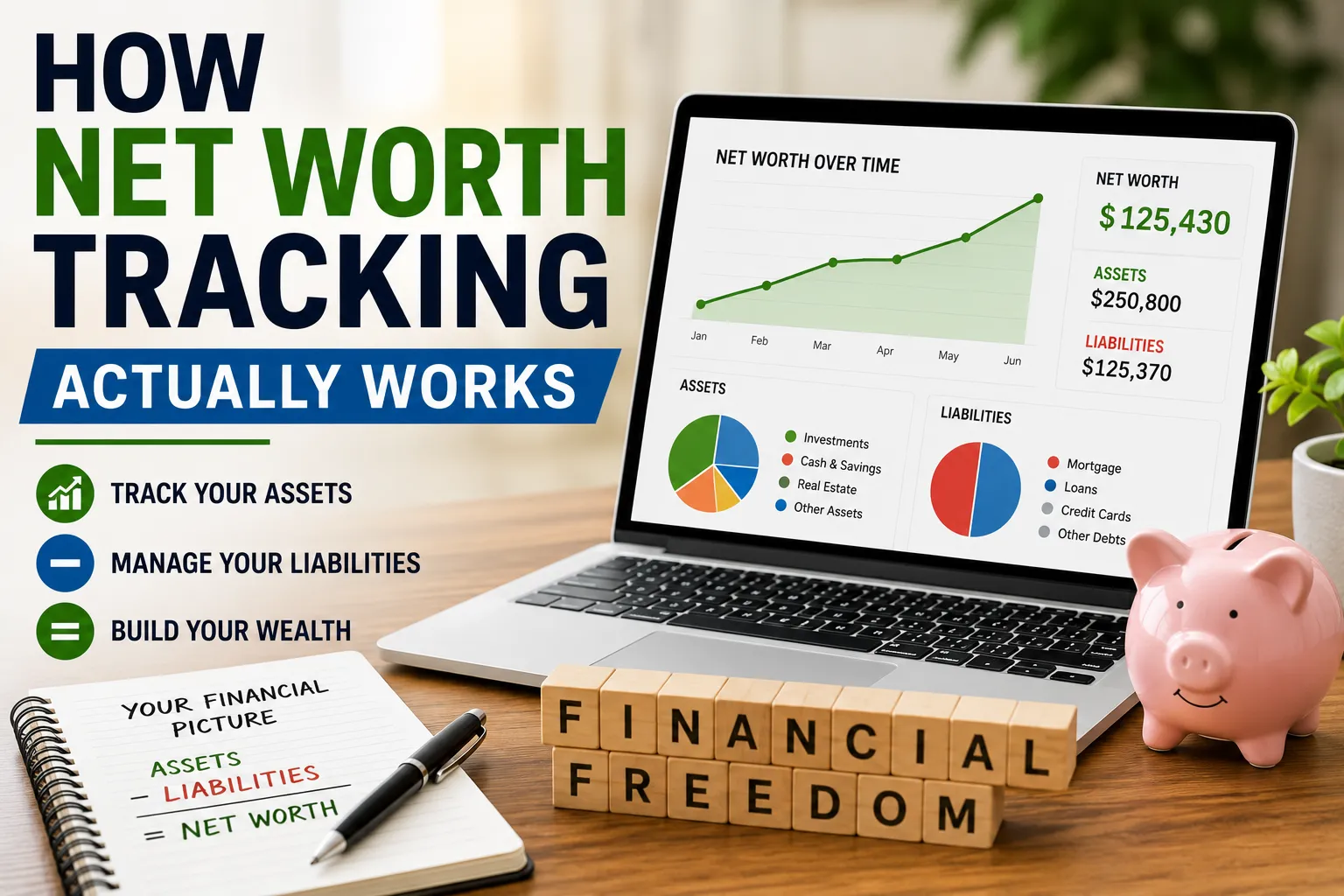
For a deeper look at the process, see How Net Worth Tracking Actually Works and How to Calculate Household Net Worth From Assets and Liabilities.
Why Net Worth Can Be More Useful Than Income
Someone earning $150,000 a year can still have serious financial problems if they have:
- Large debts
- High expenses
- No savings
- No investments
Someone earning $60,000 might have a stronger financial position if they:
- Save consistently
- Avoid high-interest debt
- Own valuable assets
- Control expenses
Income matters.
But wealth depends on what happens to that income after it arrives.
9. Bill Management Tools
Bill-management systems help you keep track of recurring obligations.
These may include:
- Rent
- Mortgage
- Electricity
- Water
- Internet
- Insurance
- Phone
- School fees
- Loan payments
- Subscriptions
A basic bill tracker can include:
| Bill | Due Date | Amount | Paid? |
|---|---|---|---|
| Electricity | 10th | $80 | Yes |
| Internet | 15th | $50 | No |
| Insurance | 20th | $120 | No |
| Loan | 25th | $300 | No |
The objective is simple: never be surprised by a recurring bill.
10. Subscription Management
Subscriptions are easy to forget because the individual payments may seem small.
You might have:
- Streaming services
- Cloud storage
- Software
- Fitness memberships
- News subscriptions
- Gaming services
- Productivity tools
Individually, a $10 monthly subscription may not seem significant.
Ten such subscriptions can become $100 every month—or $1,200 per year.
A subscription tracker can help identify services that are no longer worth the cost.
Review Subscriptions Regularly
Ask:
- Do I still use this?
- Is there a cheaper plan?
- Can I share the service legitimately?
- Has the price increased?
- Is there a free alternative?
- Am I paying for overlapping services?
Canceling one unused subscription may not transform your finances.
But repeatedly eliminating unnecessary recurring expenses can make a meaningful difference over time.
11. Financial Planning Tools
Financial planning software generally goes beyond monthly budgeting.
It may help you think about:
- Retirement
- Education
- Housing
- Investments
- Insurance
- Long-term savings
- Major purchases
- Estate planning
These tools are particularly useful when you want to connect today’s decisions with long-term goals.
For those focusing specifically on retirement preparation, How to Plan for Retirement Successfully provides a more focused look at that area of financial planning.
Financial Planning Is About Trade-Offs
Money management is not simply about minimizing spending.
You are constantly making trade-offs.
For example:
Save more today → potentially spend less today.
Invest more → potentially have less cash available.
Pay down debt → potentially reduce money available for other goals.
Buy a home → potentially build equity but take on long-term obligations.
A good financial planning tool helps you understand those trade-offs.
12. Business Accounting Tools
If you operate a business, personal budgeting software may not be enough.
Business accounting systems can help track:
- Revenue
- Expenses
- Invoices
- Accounts receivable
- Accounts payable
- Payroll
- Taxes
- Profit
- Cash flow
Keep business finances separate from personal finances wherever practical.
This makes bookkeeping, reporting and tax preparation easier.
Personal Finance vs. Business Finance
Do not assume the same tool should manage both.
Personal finance asks:
How much money do I have, and how should I use it?
Business finance asks:
Is the business generating enough revenue and cash to remain healthy?
A business can have strong revenue and still experience cash-flow problems.
That is why business owners need more detailed financial reporting.
How to Choose a Money Management Tool
The best tool is not necessarily the one with the most features.
Start with your actual problem.
Ask:
What Am I Trying to Fix?
Is the problem:
- Overspending?
- Debt?
- Lack of savings?
- Disorganized finances?
- Investment tracking?
- Business accounting?
- Bills?
- Lack of financial visibility?
Choose a tool that directly addresses the problem.
Ease of Use Matters
A financial tool can have hundreds of features and still be useless if you find it frustrating.
Look for:
- Clear navigation
- Easy data entry
- Understandable reports
- Reliable synchronization
- Useful notifications
- Accessible customer support
If you hate using the tool, you probably will not use it consistently.
Automation vs. Manual Control
This is one of the biggest differences between financial tools.
Automated Tools
Advantages:
- Less manual work
- Automatic transaction categorization
- Real-time updates
- Easier tracking
Potential disadvantages:
- Privacy considerations
- Account-connection issues
- Categorization errors
- Less control
Manual Tools
Advantages:
- Maximum control
- Greater privacy
- Flexible customization
- More awareness of individual transactions
Potential disadvantages:
- More work
- Greater chance of forgetting entries
- Requires consistency
Choose based on your preferences.
Security Should Be a Priority
Financial software handles sensitive information.
Before connecting accounts to a financial tool, investigate its security practices.
Look for information about:
- Encryption
- Authentication
- Multi-factor authentication
- Data storage
- Account access
- Privacy policies
- Data sharing
- Security notifications
- Account deletion
Do not connect a financial account simply because an app looks attractive.
Use Multi-Factor Authentication
If a financial platform supports MFA, enable it.
A password alone may not provide sufficient protection.
MFA can add an additional authentication step, such as:
- Authentication app
- Security key
- Biometric verification
- One-time code
Use a unique password for financial accounts rather than reusing passwords across multiple websites.
Be Careful With Account Aggregation
Some financial applications can connect to multiple banks and investment accounts.
This can be convenient because you get a consolidated view.
But account aggregation also means you should understand:
- What information is accessed
- How access is granted
- How long access remains active
- What happens if you disconnect
- Whether credentials are stored
- How the provider handles your data
Convenience should not replace security awareness.
Free vs. Paid Money Management Tools
Free tools can be perfectly adequate for basic budgeting.
Paid tools may provide additional features such as:
- Advanced reporting
- Automation
- Investment analysis
- Financial planning
- Household collaboration
- Debt tools
- Detailed forecasting
- Customer support
The question is not:
“Is the paid tool better?”
It is:
“Will the additional features actually improve my financial decisions enough to justify the cost?”
Calculate the Cost of the Tool
Suppose a financial application costs $15 per month.
That is:
$15 × 12 = $180 per year
If the tool helps you identify $500 in unnecessary annual spending, it may be worthwhile.
If you barely use it, the subscription itself becomes another recurring expense.
Don’t Let Money Tools Become Another Expense Problem
This is surprisingly common.
Someone subscribes to:
- A budgeting app
- An investment platform
- A financial newsletter
- A productivity system
- A premium spreadsheet service
- A financial coaching platform
Then forgets to cancel several of them.
The solution is simple:
Review your financial tools at least once or twice a year.
Keep the ones you actually use.
Build a Simple Financial Dashboard
You do not need sophisticated software to create a useful financial dashboard.
Track a handful of important numbers:
| Metric | Current | Target |
|---|---|---|
| Monthly income | $4,000 | $4,500 |
| Monthly expenses | $3,000 | $2,800 |
| Savings | $8,000 | $12,000 |
| Debt | $15,000 | $8,000 |
| Investments | $25,000 | $35,000 |
| Net worth | $18,000 | $40,000 |
The exact metrics should reflect your situation.
The purpose is to create a quick financial snapshot.
Track Cash Flow
Cash flow is the movement of money into and out of your accounts.
A simple calculation is:
Cash flow = Income − Expenses
If you earn $4,000 and spend $3,200:
$4,000 − $3,200 = $800
That $800 can potentially be allocated toward:
- Savings
- Investments
- Debt repayment
- Future purchases
Positive cash flow gives you options.
Persistent negative cash flow requires attention.
Build an Emergency Fund
A money management system should include emergency savings.
The appropriate amount varies by household.
Consider factors such as:
- Job stability
- Number of dependents
- Housing costs
- Insurance
- Debt
- Health and other major expenses
- Income predictability
An emergency fund is designed for unexpected essential expenses—not routine spending.
Separate Short-Term and Long-Term Goals
Do not put every financial goal into one category.
Short-Term Goals
Usually involve money needed relatively soon.
Examples:
- Emergency fund
- Vacation
- Repairs
- New equipment
- Annual insurance
Long-Term Goals
May include:
- Retirement
- Home ownership
- Education
- Long-term investments
- Financial independence
Different time horizons can require different strategies.
Use Sinking Funds
A sinking fund is money set aside gradually for a known future expense.
For example, if you expect to need $1,200 for annual insurance in 12 months:
$1,200 ÷ 12 = $100 per month
Setting aside $100 monthly makes the eventual payment much easier to handle.
Other sinking-fund categories might include:
- Vehicle maintenance
- School expenses
- Holidays
- Home repairs
- Annual subscriptions
- Insurance premiums
- Property taxes
Track Irregular Expenses
One weakness of many budgets is that they focus only on monthly bills.
But some expenses occur irregularly.
Examples include:
- Car repairs
- Medical expenses
- Annual insurance
- Property taxes
- School fees
- Gifts
- Travel
- Home maintenance
A good money management tool should account for these expenses rather than pretending they do not exist.
Build a Spending Category System
Too many categories can make budgeting exhausting.
Too few categories can make the information meaningless.
A practical system might include:
Essentials
- Housing
- Utilities
- Food
- Transportation
- Insurance
Financial Goals
- Savings
- Investments
- Debt repayment
Lifestyle
- Entertainment
- Restaurants
- Shopping
- Travel
Other
- Gifts
- Miscellaneous
- Unexpected expenses
Adjust the categories according to your lifestyle.
Don’t Obsess Over Perfect Categorization
A $5 transaction does not need a 20-minute debate about whether it belongs under “Dining,” “Entertainment” or “Miscellaneous.”
The purpose of budgeting is better decision-making.
It is not accounting perfection.
Use categories that provide useful information and move on.
Review Your Finances Weekly
A short weekly review can prevent small problems from becoming large ones.
Spend 10–20 minutes checking:
- Account balances
- Recent transactions
- Upcoming bills
- Credit-card spending
- Savings progress
- Unusual transactions
You do not need to spend hours analyzing every transaction.
Consistency is more valuable than complexity.
Conduct a Monthly Money Review
Once a month, take a broader look.
Review:
Income
Did you earn what you expected?
Expenses
Which categories changed?
Savings
Did you hit your targets?
Debt
Did balances decline?
Investments
Are contributions on track?
Net Worth
Did your overall financial position improve?
Then decide what needs to change next month.
Conduct an Annual Financial Review
Once a year, take a step back.
Review:
- Income
- Spending
- Savings rate
- Debt
- Investments
- Insurance
- Subscriptions
- Financial goals
- Net worth
- Major upcoming expenses
This is also a good time to review whether your financial tools are still useful.
Keeping organized records makes these reviews easier, particularly when statements and other documents are stored consistently. A dedicated guide to organizing personal and household financial records can help establish that system.
What Makes a Good Money Management Tool?
A strong tool should help you do at least one of these things significantly better:
See
Understand your current financial position.
Plan
Decide what to do with your money.
Act
Make transfers, payments or investments.
Measure
Track whether your financial position is improving.
If a tool does none of these things particularly well, it may not deserve a place in your financial system.
The Best Tool May Be a Combination
You do not need to find one application that does everything.
A practical system might use:
Banking app → daily transactions
Spreadsheet → monthly budget
Investment platform → investments
Calendar → bill reminders
Cloud storage → financial documents
Net-worth spreadsheet → annual financial review
The important thing is that the tools work together rather than creating unnecessary duplication.
A Simple Money Management System for Beginners
If you are starting from scratch, keep it simple.
Step 1: Track Everything
Record all income and expenses for one month.
Step 2: Categorize Spending
Identify your major expense groups.
Step 3: Create a Basic Budget
Give every major category a spending limit.
Step 4: Establish Emergency Savings
Start building a dedicated emergency fund.
Step 5: Organize Debt
List balances, interest rates and minimum payments.
Step 6: Automate Important Transfers
Automate savings or other appropriate payments.
Step 7: Track Net Worth
Calculate assets minus liabilities.
Step 8: Review Monthly
Adjust the system based on what actually happens.
A Money Management System for Families
Households often need additional visibility.
Consider tracking:
- Combined income
- Individual spending
- Household expenses
- Shared savings
- Debt
- Children’s expenses
- Insurance
- Long-term goals
Some couples prefer completely combined finances.
Others maintain separate personal accounts alongside a shared household account.
There is no universal answer.
The important thing is that both people understand the household’s major obligations and goals.
Teaching Children About Money
Money management tools can also become educational tools.
Older children can learn about:
- Budgeting
- Saving
- Spending
- Needs vs. wants
- Goal setting
- Compound growth
- Opportunity cost
A simple spreadsheet or visual savings tracker can make financial concepts easier to understand.
The goal is not to turn childhood into an accounting exercise.
It is to develop healthy financial habits early.
Money Management for Freelancers
Freelancers have an additional challenge: income may be irregular.
A freelancer’s financial dashboard should ideally track:
- Invoices issued
- Payments received
- Outstanding invoices
- Business expenses
- Taxes set aside
- Personal income
- Business cash reserves
Do not treat a large client payment as entirely available for personal spending.
Some of it may need to cover taxes, business costs or future periods with lower income.
Money Management for Entrepreneurs
Business owners should pay particular attention to cash flow.
Track:
- Revenue
- Gross profit
- Operating expenses
- Payroll
- Taxes
- Accounts receivable
- Accounts payable
- Cash reserves
Revenue alone does not tell you whether a business is financially healthy.
A company can generate substantial sales while struggling to pay its bills.
Money Management for Investors
Investors should consider tracking:
- Contributions
- Asset allocation
- Portfolio value
- Dividends
- Fees
- Taxes
- Investment performance
- Cash holdings
Avoid evaluating investment performance without considering the relevant time period and risk.
A portfolio that produces a high return with excessive risk may not be appropriate for every investor.
Don’t Let Apps Make Investment Decisions for You
Automated investment features can be convenient, but technology does not eliminate investment risk.
Before using any investment product, understand:
- Fees
- Risk
- Liquidity
- Investment strategy
- Tax implications
- Potential losses
A visually impressive dashboard does not make an investment safe.
Understand Fees
Fees can quietly reduce financial returns.
Look for:
- Monthly subscription fees
- Trading fees
- Account fees
- Management fees
- Foreign-exchange charges
- Withdrawal fees
- Inactivity fees
- Data fees
A small percentage can become significant over long periods when applied to large balances.
When evaluating financial apps, banking products or investment services, it can be useful to compare more than headline pricing. Consider financial products based on fees, features, security and value rather than focusing on one feature alone.
Beware of “Free” Financial Products
A product can be free to download without being free in practice.
The provider may generate revenue through:
- Advertising
- Premium upgrades
- Data-related business models
- Transaction fees
- Referral commissions
- Financial products
Understand how the company makes money.
Privacy Matters as Much as Convenience
Financial information is highly sensitive.
Before using a financial tool, ask:
- What information does it collect?
- Why does it need that information?
- Does it share data with third parties?
- Can I delete my account?
- Can I export my financial data?
- What happens if the company shuts down?
Convenience should never mean giving away more financial information than necessary.
Don’t Use Public Devices for Sensitive Financial Work
Avoid logging into financial accounts from:
- Public computers
- Untrusted devices
- Unknown Wi-Fi networks
If you must access an account while traveling, use a trusted device and secure connection where possible.
Always log out when finished.
Keep Offline Backups
Important financial information should not exist in only one place.
Keep backups of:
- Tax returns
- Statements
- Investment records
- Insurance documents
- Loan documents
- Property records
Use secure storage and protect sensitive files appropriately.
What If a Financial Tool Stops Working?
Technology companies can change pricing, discontinue products or shut down.
Before relying heavily on a platform, make sure you can export your data.
Keep important records independently.
Your financial history should not disappear simply because an application changes its business model.
Common Money Management Mistakes
Using Too Many Apps
Five overlapping tools can create more work than one good system.
Tracking Without Acting
Knowing where your money goes does not automatically change behavior.
Creating an Unrealistic Budget
A budget that allows $100 for food when you consistently spend $400 will fail repeatedly.
Ignoring Irregular Expenses
Annual bills still need to be funded.
Focusing Only on Income
Spending, saving and debt matter too.
Ignoring Fees
Small recurring charges can add up.
Checking Investments Constantly
More information does not always produce better decisions.
Sharing Financial Credentials Carelessly
Convenience should not override security.
Failing to Update the System
A financial system needs to change when your life changes.
How to Know When You Need a Better Tool
Your current system may no longer be adequate if:
- You regularly miss bills.
- You cannot explain where your money goes.
- Your accounts are difficult to reconcile.
- You have multiple income streams.
- You cannot track debt effectively.
- Your savings goals are unclear.
- You have several investment accounts.
- Your business finances are mixed with personal finances.
- Manual tracking takes too much time.
Upgrade when the new tool solves a real problem.
Do not upgrade simply because another app has more features.
A Practical Comparison Framework
When reviewing money management tools, score them across several categories.
| Factor | Questions to Ask |
|---|---|
| Cost | Is the price reasonable for my needs? |
| Ease of use | Can I understand and use it quickly? |
| Automation | Can it reduce repetitive work? |
| Security | How does it protect financial data? |
| Privacy | What happens to my information? |
| Features | Does it solve my actual problem? |
| Integration | Can it work with my existing accounts? |
| Reporting | Can I understand my financial position? |
| Support | Can I get help when something goes wrong? |
| Export | Can I retrieve my data if I leave? |
This approach is more useful than simply choosing the application with the longest feature list.
For another approach to evaluating financial products, see How to Compare Financial Products Properly.
The Most Important Feature Is Consistency
A simple tool that you use every week is more valuable than a sophisticated tool you abandon after two weeks.
That is why the ideal financial system should feel almost boring.
You should be able to:
- Record transactions.
- Review spending.
- Check upcoming bills.
- Move money toward goals.
- Review progress.
- Repeat.
The less friction involved, the more likely you are to maintain the habit.
Build a “Money Operating System”
Think of your financial tools as parts of one system rather than unrelated applications.
A basic system might look like this:
Income
↓
Checking account
↓
Essential expenses + savings + investments + debt repayment
↓
Monthly review
↓
Long-term financial goals
Each tool should support one part of this process.
For example:
- Banking app manages transactions.
- Budget tool manages spending.
- Savings account handles emergency funds.
- Investment platform handles investments.
- Spreadsheet tracks net worth.
- Calendar reminds you about important payments.
Don’t Automate Everything
Automation is powerful, but some financial decisions should remain intentional.
Automate repetitive actions such as:
- Regular savings
- Routine bill payments
- Investment contributions where appropriate
But periodically review:
- Subscription charges
- Insurance
- Investment allocations
- Savings targets
- Debt balances
- Financial goals
Automation should reduce routine work, not eliminate financial awareness.
Use Financial Tools to Answer Questions
Instead of opening your budget app simply because it exists, use it to answer meaningful questions.
For example:
Can I afford this purchase?
Why did my expenses increase this month?
How quickly can I repay this debt?
Am I saving enough for my goal?
How much cash do I have available?
Is my net worth improving?
Which recurring expenses could I reduce?
Tools become much more valuable when they support decisions.
A 30-Day Money Management Challenge
If your finances currently feel disorganized, start with a simple month-long reset.
Week 1: Observe
Track every transaction.
Do not try to change everything immediately.
Week 2: Organize
Categorize income, expenses, debt and savings.
Week 3: Adjust
Identify unnecessary spending and establish realistic targets.
Week 4: Automate
Set up appropriate savings and payment systems.
At the end of the month, review what worked and what did not.
A Complete Personal Finance Dashboard
For someone who wants a more comprehensive system, consider tracking these numbers every month:
Income
- Salary
- Business income
- Freelance income
- Investment income
- Other income
Expenses
- Housing
- Food
- Transportation
- Utilities
- Insurance
- Debt
- Lifestyle
Savings
- Emergency fund
- Short-term goals
- Long-term savings
Investments
- Retirement
- Brokerage
- Other investments
Debt
- Credit cards
- Personal loans
- Mortgage
- Other liabilities
Net Worth
Total assets − total liabilities
This dashboard can fit into one spreadsheet or financial application.
When to Consider Professional Financial Advice
Money management tools are useful, but they do not replace professional advice in every situation.
Consider speaking with an appropriately qualified professional if you are dealing with:
- Complex investments
- Significant assets
- Business ownership
- Estate planning
- Complex tax situations
- Retirement planning
- Major inheritance
- International finances
- Significant debt
- Insurance decisions
Technology can organize information.
A qualified professional can help interpret complex circumstances.
The Right Tool Depends on Your Financial Stage
Different people need different systems.
Beginner
Start with:
- Bank app
- Simple budget
- Expense tracker
- Savings goal
Growing Household
Add:
- Bill tracker
- Debt management
- Net-worth tracking
- Shared financial planning
Investor
Add:
- Portfolio tracking
- Asset allocation monitoring
- Investment records
Freelancer
Add:
- Business accounting
- Invoice tracking
- Tax records
- Cash-flow management
Business Owner
Consider:
- Accounting software
- Payroll
- Cash-flow forecasting
- Financial reporting
You do not need to start with the most complicated setup.
Money Tools Should Make Decisions Easier
The purpose of financial technology is not to make your finances look impressive.
A dashboard with dozens of charts is meaningless if you still cannot answer basic questions about your money.
A good system should make it easier to:
- Spend intentionally
- Save consistently
- Reduce unnecessary debt
- Prepare for irregular expenses
- Understand investments
- Protect financial information
- Make long-term plans
If a tool does that, it is doing its job.
Choosing a Financial System You Will Actually Use
There is no universally perfect money management app, spreadsheet or financial platform.
The right choice depends on your goals, financial complexity, comfort with technology, privacy preferences and willingness to maintain the system.
For someone starting out, a bank application combined with a simple budget and savings tracker may be enough. Someone managing investments, multiple income sources or a business may need a more comprehensive setup.
The important thing is to avoid confusing complexity with effectiveness.
Start with the financial problem you are trying to solve. Choose the simplest tool that solves it reliably. Automate repetitive tasks where appropriate, protect your financial information and review the system regularly.
Over time, your money management tools should become less about watching every transaction and more about helping you make better decisions.
The best financial system is not the one with the most features. It is the one that gives you a clear picture of your money and helps you consistently turn that information into action.