Complete Guide to Financial Apps
Managing money used to mean balancing a checkbook, visiting a bank branch, keeping receipts and manually updating spreadsheets.
Today, a smartphone can handle much of that work.
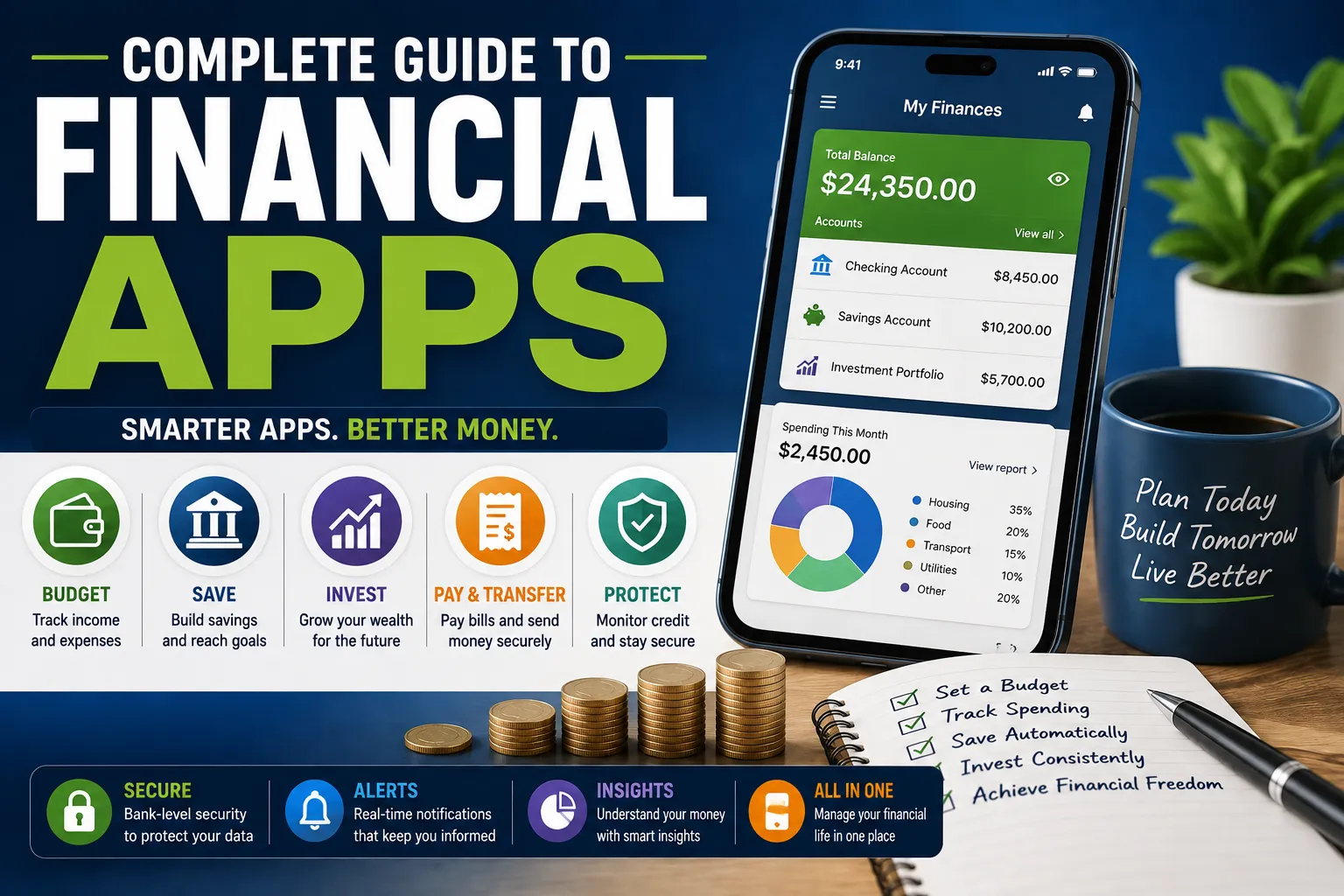
Financial apps can help people track spending, create budgets, monitor bank accounts, transfer money, invest, manage subscriptions, build savings and keep an eye on their overall financial position. Some are designed for a single purpose, while others combine several money-management tools in one platform.
The growing number of options is useful, but it can also make choosing the right app surprisingly difficult. An app may have an attractive interface but poor security controls. Another may offer sophisticated investment features but be unnecessarily complicated for someone who simply wants to track household spending.
The best financial app is therefore not necessarily the one with the most features. It is the one that solves a real financial problem while giving you an appropriate balance of security, convenience, cost and control.
This guide explains the major types of financial apps, what they can do, what to look for before choosing one and how to use them without creating unnecessary financial or privacy risks.
Note: Financial products, regulations, fees and consumer protections vary by country. Always verify the terms and regulatory status of an app before connecting financial accounts or transferring money.
What Are Financial Apps?
Financial apps are software applications designed to help users perform financial tasks.
Depending on the app, you may be able to:
- Track income and expenses
- Create a household budget
- Monitor bank accounts
- Transfer money
- Pay bills
- Save automatically
- Manage investments
- Monitor credit
- Track subscriptions
- Manage debt
- Send invoices
- Record business expenses
- Analyze financial habits
Some applications connect directly to financial institutions, while others rely on information entered manually by the user.
The Main Types of Financial Apps
Financial apps can be divided into several broad categories.
Budgeting Apps
Budgeting apps focus primarily on helping users understand where their money goes.
They may categorize spending into areas such as:
- Housing
- Food
- Transportation
- Entertainment
- Utilities
- Shopping
- Healthcare
- Education
Many also allow users to set spending limits and compare actual spending with their budgets.
Banking Apps
Banking apps are provided by banks or other financial institutions.
They commonly allow customers to:
- Check balances
- Review transactions
- Transfer money
- Pay bills
- Deposit checks where supported
- Manage cards
- Lock or unlock cards
- Receive account alerts
- Download statements
Because banking apps can provide direct access to money, security is particularly important.
Investment Apps
Investment applications allow users to research and potentially buy or sell investments.
Depending on the platform and jurisdiction, these may include:
- Stocks
- Bonds
- Exchange-traded funds
- Mutual funds
- Government securities
- Other investment products
Some investment apps are designed for beginners, while others provide sophisticated research and trading tools.
Savings Apps
Savings-focused apps are designed to make setting money aside easier.
Features may include:
- Automatic transfers
- Savings goals
- Round-up programs
- Scheduled deposits
- Progress tracking
- Separate savings categories
The objective is usually to turn saving into a repeatable habit rather than something you remember to do at the end of the month.
Payment Apps
Payment apps allow users to send and receive money electronically.
Depending on the country, they may support:
- Person-to-person transfers
- Merchant payments
- Online purchases
- Bill payments
- QR-code payments
- International transfers
Before using a payment app, understand its transaction limits, fees, dispute process and consumer protections.
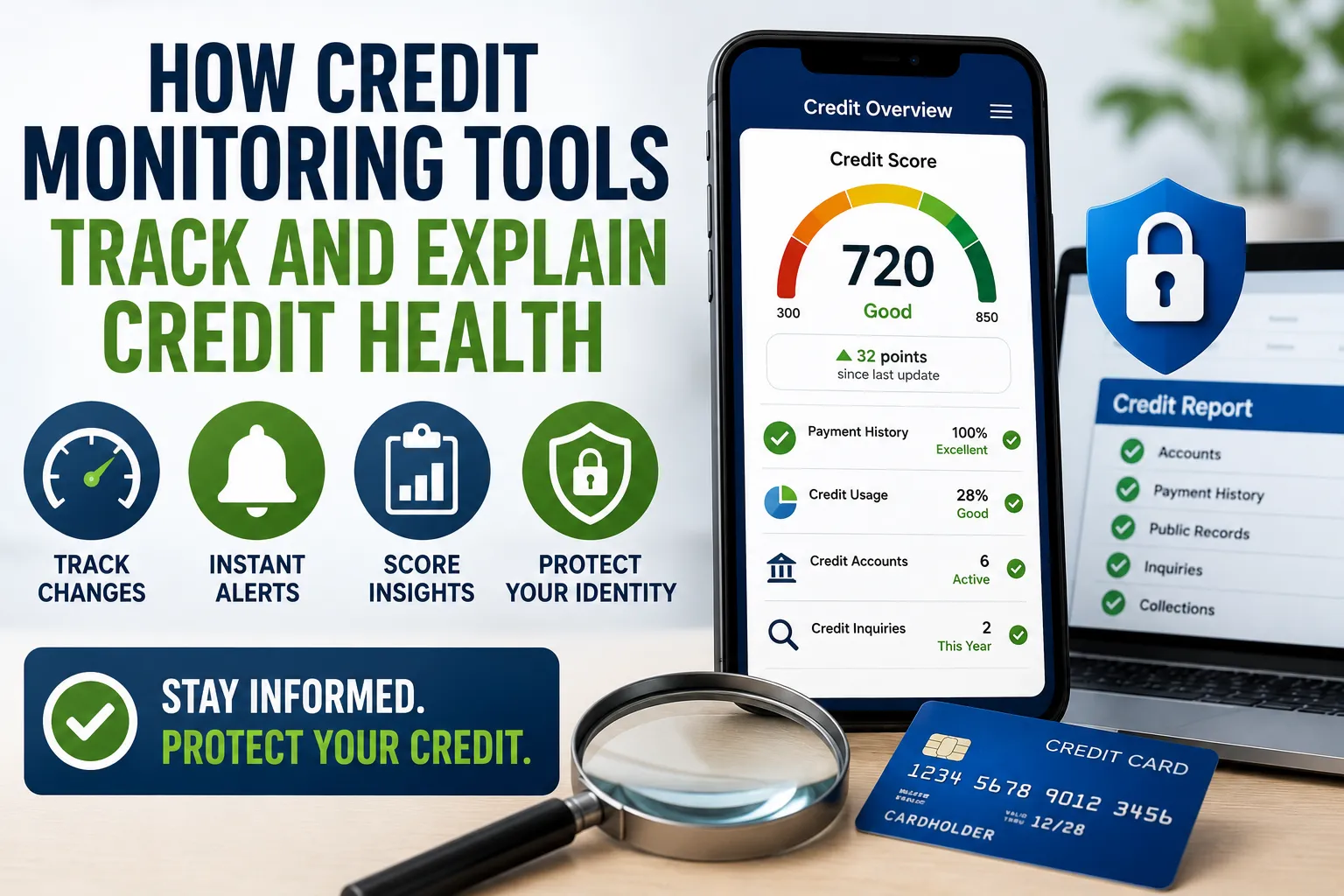
Credit Monitoring Apps
Credit-focused applications can help users monitor aspects of their credit profile.
Possible features include:
- Credit-score monitoring
- Credit-report information
- Alerts
- Debt tracking
- Payment reminders
- Credit education
A credit score is only one part of a person’s financial health, so these apps should be viewed as monitoring tools rather than complete financial-planning systems.
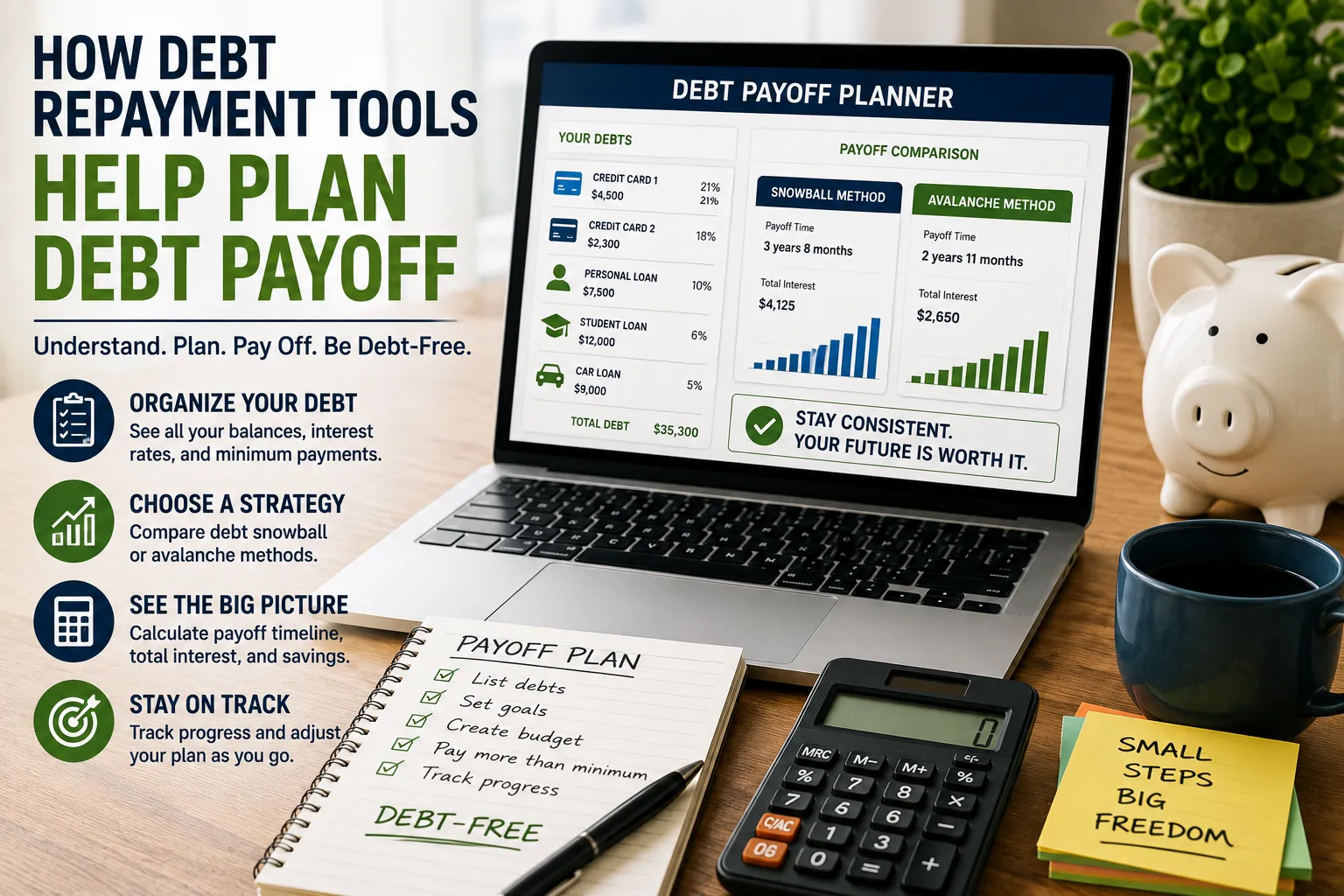
Debt Management Apps
Debt-management apps can help users organize what they owe.
They may track:
- Credit cards
- Personal loans
- Student loans
- Car loans
- Mortgages
- Interest rates
- Minimum payments
- Due dates
Some allow users to model repayment strategies such as the debt avalanche or debt snowball.
Tax Apps
Tax applications can help users prepare, organize or estimate tax information.
Depending on the jurisdiction and product, they may assist with:
- Income records
- Deductions
- Tax calculations
- Filing
- Receipts
- Business expenses
- Estimated payments
Tax rules can be complicated, so software should not automatically be treated as a substitute for professional advice in complex situations.
Financial Apps for Small Businesses
Business owners have their own set of financial needs.
Business-focused apps may help with:
- Invoicing
- Expense tracking
- Cash-flow management
- Payroll
- Receipts
- Accounting
- Tax preparation
- Financial reporting
Keeping business finances organized can make it easier to understand whether a business is actually profitable.
Why People Use Financial Apps
The biggest advantage is convenience.
Instead of manually collecting information from multiple sources, an app can potentially bring financial information together in one place.
For example, a budgeting app might show:
Income: $4,500 Essential expenses: $2,700 Discretionary spending: $900 Savings: $600 Remaining amount: $300
Seeing the numbers together can make financial decisions easier.
Financial Apps Can Make Spending Visible
Many people know roughly how much they earn but have a less precise understanding of where their money goes.
A financial app can reveal patterns such as:
- Frequent restaurant spending
- Increasing subscription costs
- High transportation expenses
- Impulse purchases
- Large recurring bills
The goal isn’t to eliminate every enjoyable expense.
It is to make spending intentional.
Automatic Transaction Categorization
Some apps automatically categorize transactions.
For example:
Supermarket purchase → Groceries
Fuel station → Transportation
Streaming service → Entertainment
Automatic categorization can save time.
However, it isn’t always accurate.
A transaction may be categorized incorrectly, so users should periodically review the data.
Financial Apps and Budgeting
A budgeting app can turn a vague goal such as:
“I need to spend less.”
into something measurable:
“I will keep restaurant spending below $250 this month.”
That difference matters.
Specific financial targets are easier to monitor.
Common Budgeting Methods
Financial apps may support different budgeting approaches.
Zero-Based Budgeting
Every unit of income is assigned a purpose.
The objective is generally:
Income − planned allocations = $0
This doesn’t mean spending every dollar. Savings and debt payments can also be assigned categories.
50/30/20 Budgeting
This popular framework broadly divides income into:
- 50% needs
- 30% wants
- 20% savings or debt repayment
It is a guideline rather than a universal rule.
Housing costs, income levels, family responsibilities and local living expenses can make the percentages unrealistic for some households.
Pay-Yourself-First Budgeting
This approach prioritizes saving before discretionary spending.
For example:
- Receive income.
- Transfer money to savings.
- Pay essential expenses.
- Use the remainder for discretionary spending.
Financial apps can automate the savings transfer, making the approach easier to maintain.
Envelope-Style Budgeting
Traditional envelope budgeting involves assigning cash to categories.
Digital budgeting apps can recreate the concept virtually.
For example:
- Food: $500
- Transportation: $250
- Entertainment: $150
- Clothing: $100
When a category reaches its limit, the user decides whether to stop spending or deliberately move money from another category.
Financial Apps for Expense Tracking
You don’t necessarily need a complicated budget.
Some people simply need to understand their spending.
An expense-tracking app can answer questions such as:
- How much did I spend this month?
- What did I spend on food?
- How much goes toward subscriptions?
- How much did I spend last month?
- Are my expenses increasing?
This can be useful even if you don’t follow a formal budgeting system.
Financial Apps for Savings Goals
A savings goal gives a purpose to your money.
Common goals include:
- Emergency fund
- Vacation
- Home deposit
- New vehicle
- Education
- Wedding
- Business startup
- Retirement
Suppose your target is $6,000 and you want to reach it in 12 months.
A simple target would be:
$6,000 ÷ 12 = $500 per month
An app can track progress and show whether you’re ahead or behind schedule.
Automating Savings
Automation is one of the most useful features available in many financial applications.
Instead of relying on motivation, you can establish a recurring transfer.
For example:
Payday → $200 automatically transferred to savings
Over 12 months:
$200 × 12 = $2,400
The key benefit is consistency.
Round-Up Savings
Some financial services offer round-up features.
Suppose you spend:
$8.40
The system might round the transaction to:
$9.00
and direct the additional $0.60 toward savings.
Small amounts can accumulate over time.
However, users should understand exactly where the money goes and whether any fees apply.
Financial Apps and Investing
Investment apps have made access to financial markets easier for many consumers.
But easy access can create a psychological problem.
When investing becomes as easy as tapping a button, it can begin to feel like ordinary online shopping.
Investors should therefore understand the asset they are buying before placing an order.
What to Check Before Using an Investment App
Look for information about:
- Regulatory status
- Available investments
- Trading fees
- Account fees
- Currency-conversion costs
- Withdrawal rules
- Investment minimums
- Research tools
- Customer support
- Asset custody arrangements
- Investor protections
Do not assume that an attractive interface means the underlying financial service is appropriate.
Investment Apps Are Not Savings Accounts
This distinction is crucial.
Money held in an investment account can lose value.
Stocks, bonds, funds and other securities can fluctuate.
A savings account and an investment portfolio serve different purposes.
Emergency money generally needs stability and accessibility, while long-term investment money can potentially tolerate greater volatility.
Avoid Chasing Investment Trends
Some investment apps make it extremely easy to discover popular assets or see what other users are buying.
This can encourage trend-following.
A better approach is to ask:
- What am I investing in?
- Why am I buying it?
- What is the risk?
- What is my investment horizon?
- How diversified is my portfolio?
- What happens if the value falls substantially?
An app should support your investment strategy, not replace one.
Financial Apps and Banking Security
Financial information is highly sensitive.
A financial app may potentially have access to:
- Account balances
- Transaction history
- Bank details
- Investment information
- Identity information
- Payment information
Security should therefore be one of your first considerations.
Use Strong Authentication
Where available, use:
- Strong unique passwords
- Multi-factor authentication
- Biometric authentication
- Device security
- Security alerts
Avoid reusing the same password across your financial accounts.
If one unrelated service suffers a data breach and you reused that password, attackers may attempt to use the same credentials elsewhere.
Be Careful With Public Wi-Fi
Public networks can create additional security risks.
Avoid conducting sensitive financial transactions on unfamiliar or unsecured networks where possible.
A secure home network and updated device are generally preferable for financial activity.
Keep Your Phone Secure
Your smartphone can effectively become a financial key.
Use:
- A strong screen lock
- Automatic device updates
- Official app stores
- Remote-device tracking
- Remote-wipe capabilities where available
If your phone is lost, the person who finds it should not be able to immediately access your financial accounts.
Beware of Fake Financial Apps
Scammers can create websites, advertisements or applications designed to imitate legitimate financial services.
Before downloading an app:
- Confirm the developer.
- Check the official company’s website.
- Verify the app listing.
- Look for suspicious spelling or branding.
- Avoid downloading financial software from random links.
- Be skeptical of promises of guaranteed profits.
Never provide financial credentials simply because an app looks professional.
App Permissions Matter
Some apps request access to information that may not be necessary for their core function.
Review permissions involving:
- Contacts
- Location
- Camera
- Microphone
- Photos
- Files
- Notifications
Ask:
“Does this app genuinely need this information to provide the service?”
If the answer is unclear, investigate before granting access.
Third-Party Account Connections
Some financial apps allow users to connect bank or investment accounts.
This can make financial tracking much easier.
However, connecting accounts means you should understand:
- What information is being accessed.
- How credentials or access tokens are handled.
- Whether access can be revoked.
- Which companies receive the information.
- How long information is retained.
Convenience should not come at the expense of understanding who can access your financial data.
Read the Privacy Policy
Privacy policies aren’t the most exciting documents, but financial applications deserve closer attention.
Look for information about:
- Data collection
- Data sharing
- Advertising
- Third-party service providers
- Data retention
- Account deletion
- Security practices
You don’t need to memorize the policy.
Focus on understanding what information the company collects and how it may be used.
Free Financial Apps Aren’t Necessarily Free
An app may advertise itself as free while generating revenue through other methods.
Potential business models include:
- Advertising
- Referral commissions
- Premium subscriptions
- Transaction fees
- Interest spreads
- Data-related services
- Paid financial products
“Free” should therefore prompt another question:
How does this company make money?
Understanding the business model can help you assess incentives.
Subscription Fees Can Undermine Savings
A budgeting or financial-planning app might cost $10 per month.
That seems small.
But:
$10 × 12 = $120 per year
If the app genuinely helps you save or earn significantly more than that, the cost may be worthwhile.
If you rarely use it, the subscription becomes another recurring expense.
Review financial-app subscriptions periodically.
Don’t Subscribe to Too Many Apps
Using separate apps for budgeting, banking, investing, credit, savings and bills can create another problem: fragmentation.
You may end up with:
- Multiple passwords
- Duplicate data
- Conflicting balances
- Several subscription fees
- More notifications
- More security exposure
A small number of well-chosen tools is often easier to manage than a collection of specialized apps.
How to Choose a Financial App
Start with the problem.
Don’t begin with:
“Which financial app is the best?”
Instead ask:
“What financial problem am I trying to solve?”
For example:
Problem: Spending is out of control
Look for budgeting and expense-tracking features.
Problem: I don’t save consistently
Look for automated savings features.
Problem: I struggle to manage investments
Look for portfolio-management and research tools.
Problem: I keep missing bills
Look for reminders and bill-management features.
Problem: I need better business records
Look for accounting and expense-management software.
Compare Apps by Function
Once you know what you need, compare products based on the features that actually matter.
A simple comparison might look like:
| Feature | App A | App B | App C |
|---|---|---|---|
| Budgeting | ✓ | ✓ | — |
| Investment tracking | ✓ | — | ✓ |
| Automated savings | ✓ | ✓ | ✓ |
| Bill reminders | ✓ | ✓ | — |
| Bank connections | ✓ | ✓ | ✓ |
| Monthly fee | $ | Free | $$ |
The cheapest app isn’t automatically the best.
Likewise, the app with the longest feature list isn’t necessarily the most useful.
When comparing financial apps or other financial products, it can also help to review how to compare financial products properly, rather than judging an app solely by its feature list.
Consider Compatibility
Before choosing an app, check whether it works with:
- Your country
- Your bank
- Your currency
- Your financial institutions
- Your operating system
- Your preferred payment methods
An excellent app is useless if it doesn’t support your financial accounts.
Check Customer Support
Financial problems can become urgent.
Before relying heavily on an app, find out how customer support works.
Check whether the company offers:
- Email support
- Telephone support
- Live chat
- Help center
- In-app support
- Emergency account procedures
Also investigate typical response times if that information is available.
Look at the Company’s Reputation
Reviews can reveal recurring problems.
Look for patterns involving:
- Unexpected fees
- Account access
- Withdrawals
- Customer service
- Security
- Technical failures
Don’t rely on one extremely positive or negative review.
Look for consistent patterns across many users and credible sources.
Understand Financial Protections
One of the most important questions is:
What happens to my money if the company fails?
The answer depends on what type of institution operates the app and how customer funds are held.
Possible protections can include:
- Deposit insurance
- Investor compensation schemes
- Segregation of client assets
- Regulatory supervision
These protections vary by country and financial product.
Never assume that every app offering financial services has the same protections as a traditional bank.
Financial Apps and Fraud Prevention
Financial apps can help detect suspicious activity through:
- Transaction notifications
- Login alerts
- Location alerts
- Unusual spending detection
- Card controls
Enable useful alerts where available.
A notification that appears seconds after an unauthorized transaction can give you a chance to respond quickly.
Watch for Phishing Messages
Scammers may send messages pretending to come from your bank or financial app.
They might claim:
“Your account has been locked.”
or:
“Verify your identity immediately.”
Instead of clicking the provided link, open the official app or manually navigate to the company’s verified website.
Urgency is one of the most common tactics used in financial scams.
Never Share One-Time Security Codes
A legitimate financial institution may use verification codes to confirm your identity.
If someone calls or messages asking you to give them that code, be extremely cautious.
A verification code can be the final step an attacker needs to access an account.
Treat security codes as confidential.
Financial Apps for Families
Some financial applications can help families coordinate household finances.
Possible uses include:
- Shared budgets
- Household spending tracking
- Savings goals
- Bill reminders
- Allowance management
- Family financial education
However, shared access should be configured carefully.
Not every family member needs full access to every account.
Teaching Children About Money With Apps
Financial apps can make financial education more practical.
Children can learn concepts such as:
- Saving
- Spending
- Budgeting
- Goal setting
- Delayed gratification
- Compound growth
The best approach depends on the child’s age and the specific financial product.
Parents should also review privacy and account-control features before allowing children to use financial applications.
Financial Apps for Couples
Couples can use financial apps to coordinate:
- Household budgets
- Shared bills
- Savings goals
- Debt repayment
- Major purchases
However, financial transparency does not necessarily require every account to be merged.
Some couples prefer:
- Completely joint finances
- Completely separate finances
- A hybrid arrangement
An app should support the arrangement the household has deliberately chosen.
Financial Apps for Small Businesses
Business owners often benefit from separating personal and business finances.
A business financial app can help track:
- Sales
- Expenses
- Invoices
- Receipts
- Cash flow
- Taxes
- Profit
This can make it easier to understand whether the business is actually generating money.
Cash Flow Tracking
Profit and cash flow are not identical.
A business can appear profitable on paper while experiencing cash-flow problems because customers haven’t paid their invoices yet.
Financial software can help business owners track:
Money coming in
versus
Money going out
and identify periods when cash may become tight.
Financial Apps and Tax Preparation
Good financial records can make tax preparation easier.
An app may help organize:
- Income
- Business expenses
- Investment transactions
- Receipts
- Charitable contributions
- Other financial records
But software should not encourage you to claim deductions simply because they appear available.
Only legitimate deductions under the applicable tax rules should be claimed.
Don’t Let an App Make Decisions for You
Automation is useful, but financial judgment still matters.
An app can tell you:
“You spent 20% more on dining this month.”
It cannot necessarily tell you whether that spending was reasonable.
Likewise, an investment app can show a falling portfolio.
It cannot determine whether selling is appropriate for your personal financial plan.
Use apps as decision-support tools, not replacements for financial judgment.
The Risk of Over-Automation
Automatic payments and transfers can simplify money management.
But too much automation can cause problems.
For example:
- A subscription continues after you stop using it.
- An automatic transfer causes an overdraft.
- A bill increases unexpectedly.
- A recurring investment continues after your financial circumstances change.
Review automated transactions regularly.
Automation should reduce work, not eliminate oversight.
Financial Apps and Notifications
Notifications can be useful for:
- Low balances
- Large transactions
- Payments
- Deposits
- Investment movements
- Security events
But excessive notifications can create noise.
Keep the alerts that help you make decisions and disable those that simply encourage you to open the app repeatedly.
How Often Should You Check a Financial App?
It depends on the purpose.
For budgeting, a weekly review can be useful.
For long-term investing, constantly checking your portfolio may be counterproductive.
For bank security, transaction alerts can provide passive monitoring without requiring constant account checks.
The right frequency depends on the financial task.
Financial Apps and Financial Anxiety
Money apps can provide clarity, but constant monitoring can have the opposite effect for some people.
If checking account balances or investment prices repeatedly makes you more anxious without improving your decisions, establish a routine instead.
For example:
Weekly: Review spending.
Monthly: Review budget and savings.
Quarterly: Review investments.
Annually: Review the broader financial plan.
The goal is informed action, not constant checking.
Common Mistakes When Using Financial Apps
Choosing Features Over Security
A beautiful interface is meaningless if your financial information isn’t adequately protected.
Connecting Every Account
Only connect accounts that genuinely need to be connected.
Ignoring Fees
Small recurring fees can become significant over time.
Trusting Automatic Categorization Completely
Review categories for accuracy.
Using Investment Apps Like Games
Fast trading can encourage impulsive decisions.
Forgetting Subscriptions
Review recurring charges regularly.
Ignoring Privacy Settings
Understand what information you are sharing.
Failing to Update Your Information
Outdated accounts and financial data can distort your financial picture.
How to Audit Your Financial Apps
Once or twice a year, review every financial application on your phone.
Ask:
- Do I still use this?
- Do I know how it makes money?
- Am I paying for it?
- Does it still solve a problem?
- Is the company trustworthy?
- Do I still need the permissions?
- Is my information secure?
- Could another app perform the same function more simply?
Delete unnecessary applications and revoke access where appropriate.
A Simple Financial App Setup
You don’t need ten applications to manage money effectively.
A basic setup could consist of:
1. Banking App
For everyday account management.
2. Budgeting Tool
For tracking income and expenses.
3. Savings Account or Savings Tool
For emergency and goal-based savings.
4. Investment Platform
For long-term investments, if appropriate.
5. Financial Records or Tax Tool
For organizing documents and tax-related information.
The exact combination depends on your circumstances.
Financial Apps vs. Spreadsheets
A spreadsheet can still be an excellent financial-management tool.
Apps
Advantages:
- Automation
- Bank connections
- Notifications
- Mobile access
- Automatic categorization
Spreadsheets
Advantages:
- Flexible
- Customizable
- Easy to understand
- Greater control over calculations
- No dependency on a particular app’s interface
Some people may benefit from using both.
An app can collect information while a spreadsheet can be used for deeper financial planning.
When a Spreadsheet May Be Better
A spreadsheet can be particularly useful for:
- Annual financial planning
- Net-worth tracking
- Debt payoff projections
- Retirement calculations
- Business forecasts
- Major purchase planning
Apps are often better for day-to-day transaction management.
Track Your Net Worth
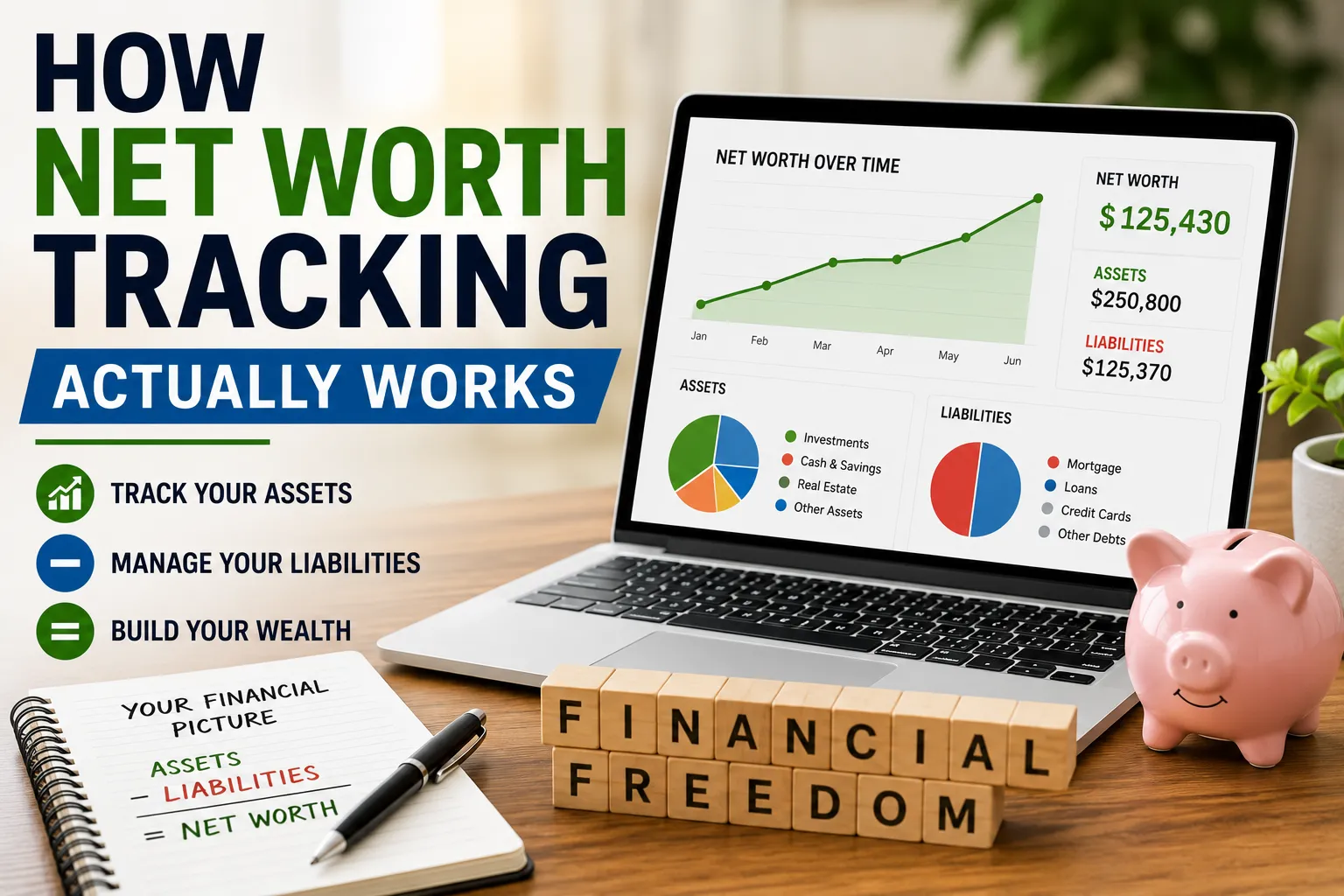
One useful financial metric that many apps can help calculate is net worth.
The basic formula is:
Assets − Liabilities = Net worth
For example:
Assets
Cash: $10,000
Investments: $30,000
Property: $200,000
Total assets: $240,000
Liabilities
Mortgage: $150,000
Other debt: $10,000
Total liabilities: $160,000
Net worth:
$240,000 − $160,000 = $80,000
Tracking this over time can provide a broader picture than looking at your bank balance alone.
Financial Apps and Goal Tracking
A strong financial app should help connect everyday actions to longer-term goals.
For example:
Goal: Build a $12,000 emergency fund.
Current savings: $4,000.
Remaining: $8,000.
Monthly contribution: $500.
At $500 per month, ignoring interest:
$8,000 ÷ $500 = 16 months
That makes an abstract goal much more concrete.
Use Apps to Identify Financial Leaks
A “financial leak” is a recurring or unnecessary expense that quietly reduces available money.
Common examples include:
- Forgotten subscriptions
- Bank fees
- Unused memberships
- Excessive delivery charges
- Duplicate services
- High-interest debt
Financial apps can make these patterns easier to spot.
Don’t Confuse Convenience With Financial Progress
Having a sophisticated financial dashboard does not automatically improve your finances.
A person with a simple spreadsheet and a strong savings habit may be in a better financial position than someone using five premium apps without following a budget.
The tool matters less than the behavior it supports.
What to Look for in a Good Financial App
A useful financial app should ideally provide:
Security
Strong authentication and sensible data-protection practices.
Transparency
Clear fees and understandable terms.
Reliability
Accurate information and dependable access.
Usability
A design that makes financial tasks easier rather than more confusing.
Useful Features
Tools that address your actual needs.
Support
A practical way to get assistance when something goes wrong.
Appropriate Regulation
Where applicable, the underlying financial service should be properly authorized or regulated.
A Financial App Evaluation Checklist
Before committing to an app, ask:
- What problem does it solve?
- Is it available in my country?
- Does it support my financial institutions?
- How does the company make money?
- What does it cost?
- What data does it collect?
- Who can access that data?
- Does it use strong security controls?
- What happens if my account is compromised?
- How do I contact support?
- Can I export my data?
- Can I delete my account?
- What financial protections apply?
- Is the service regulated where required?
The Future of Financial Apps
Financial applications are becoming increasingly sophisticated.
Future products are likely to combine more financial information and provide more personalized recommendations.
Potential developments include:
- AI-powered budgeting
- Automated financial insights
- More personalized savings recommendations
- Automated investment management
- Real-time fraud detection
- Integrated tax planning
- More sophisticated cash-flow forecasting
These developments could make financial management easier.
They could also increase the importance of understanding how algorithms use personal financial information.
AI-Powered Financial Tools
Artificial intelligence can potentially analyze large amounts of financial information and identify patterns that users might miss.
For example, an AI-powered financial assistant might identify:
“Your utility costs have increased for three consecutive months.”
or:
“Your recurring subscriptions increased by $40 this year.”
Such insights can be useful.
But users should not blindly follow automated recommendations.
AI systems can make mistakes, misunderstand circumstances or rely on incomplete information.
The Importance of Human Judgment
Financial apps can calculate.
They can categorize.
They can remind.
They can automate.
But they cannot fully understand every personal circumstance.
A financial decision may involve:
- Family priorities
- Career plans
- Risk tolerance
- Health considerations
- Future goals
- Personal values
Those factors can be difficult for an automated system to understand.
Technology should support financial decision-making rather than eliminate human responsibility.
Financial Apps and Data Portability
As people use more financial platforms, the ability to move financial information between services becomes increasingly useful.
Data portability can make it easier to:
- Change budgeting apps
- Download transaction histories
- Switch financial providers
- Keep personal records
- Analyze long-term financial data
Before committing heavily to an app, check whether you can export your information.
When You Should Consider Professional Financial Advice
A financial app may be enough for routine tasks such as tracking spending.
Professional advice may be more appropriate when dealing with complex decisions involving:
- Significant investments
- Retirement planning
- Estate planning
- Business structures
- Complex taxes
- Large property purchases
- Cross-border finances
- Major inheritance decisions
The more complicated the financial situation, the more valuable qualified human guidance can become.
The Best Financial App Is the One You Actually Use
An app doesn’t need to be sophisticated to be effective.
If an application makes budgeting simple enough that you use it every week, it may be more valuable than a feature-heavy platform that you abandon after a month.
The most useful financial technology tends to have three characteristics:
Simple enough to use.
Powerful enough to provide meaningful information.
Secure enough to trust with sensitive data.
Turn Financial Technology Into Better Financial Habits
Financial apps can make money management faster, more convenient and more visible, but the technology itself is not the solution.
A budgeting app won’t automatically stop overspending. An investment platform won’t automatically create a sound investment strategy. A savings app won’t build an emergency fund unless money is actually being set aside.
The strongest approach is to start with your financial goals and then choose technology that supports them.
Use budgeting tools to understand spending. Use savings automation to make progress easier. Use investment platforms carefully and understand what you are buying. Use security alerts to detect suspicious activity. Review fees and permissions regularly, and avoid connecting more financial information than necessary.
For a broader view of how financial apps, calculators and other money-management tools fit together, see the complete guide to financial tools and calculators.
Most importantly, remember that financial apps are tools.
They can organize information, automate repetitive tasks and make patterns easier to see. But the decisions about how to earn, spend, save, borrow and invest ultimately remain yours.
The best financial app is not the one with the most features—it is the one that helps you make better financial decisions consistently, securely and with a clear understanding of where your money is going.